
The Puffco Plus is a compact vaporizer pen designed specifically for use with wax concentrates. It has a ceramic chamber and works using one button– meaning its design is simple.
This guide provides step-by-step instructions for first-time users of this device, as well as those who need some help along the way! You'll find useful details on how to use Puffco Plus correctly– such as how to charge its battery, load your concentrate, choose your heat setting, and take a draw at precisely the right moment!
What Comes In The Puffco Plus Box?
The Puffco Plus box is designed to be an all-in-one kit for concentrate vaping. Here's what you will find inside:
Vaporizer:
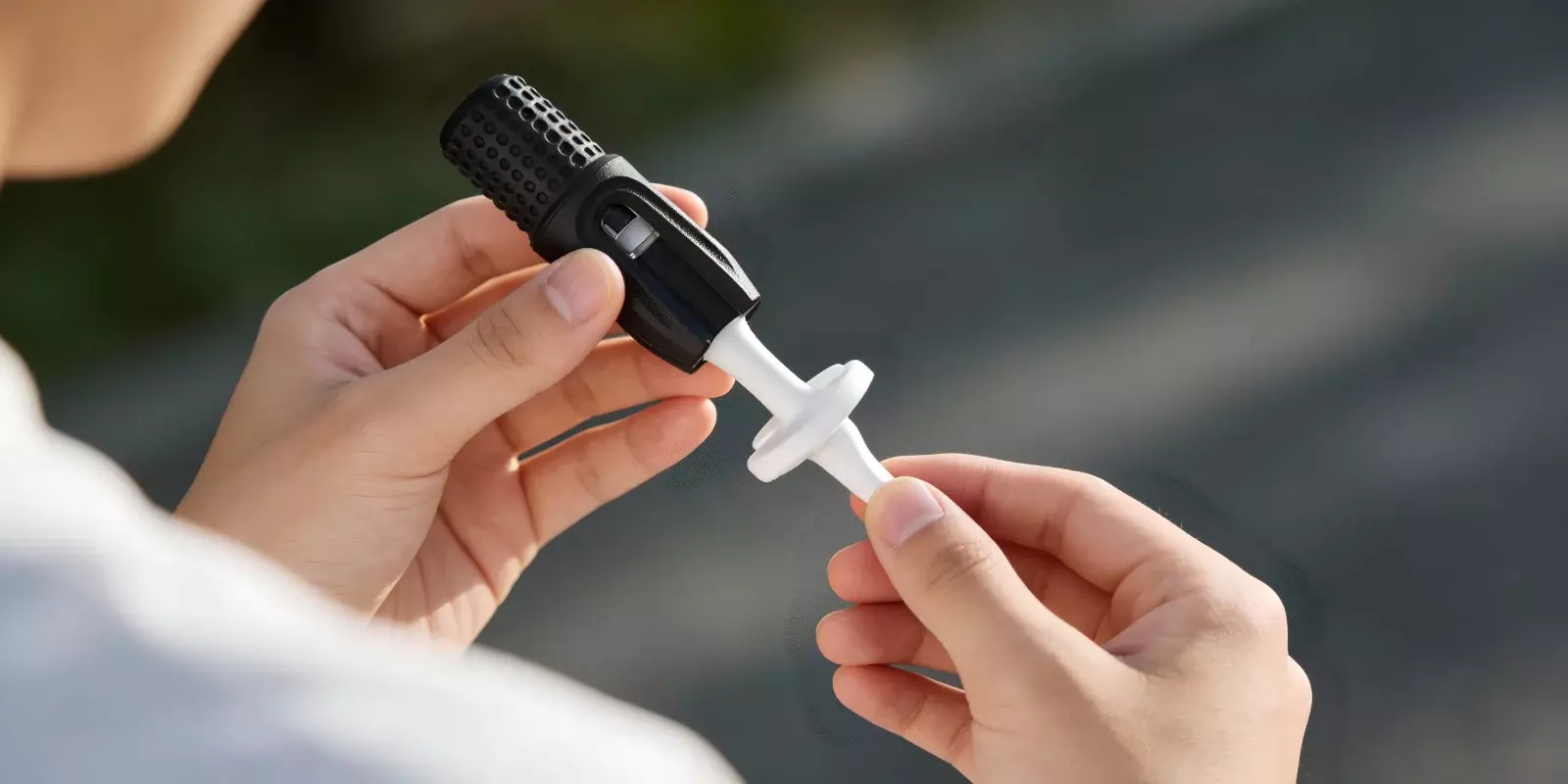
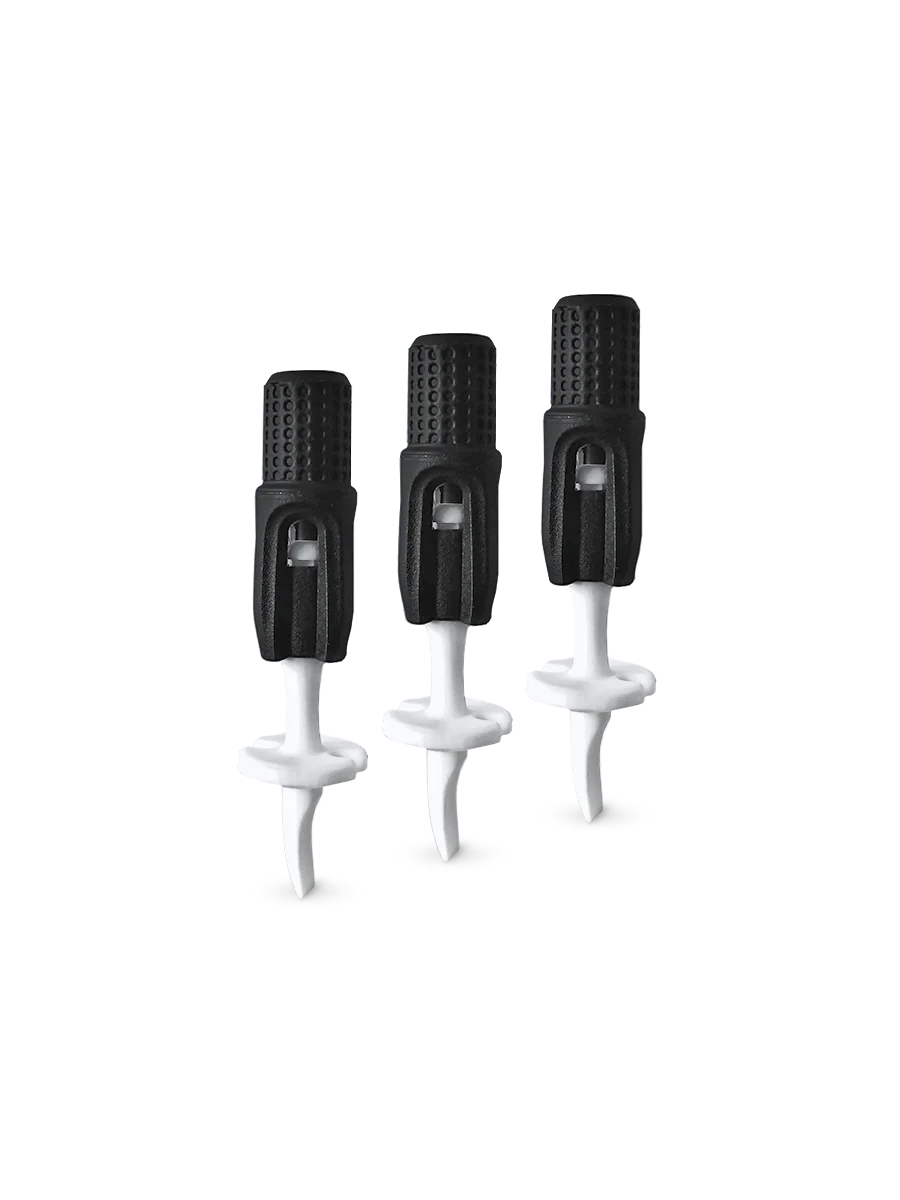
The principal component consists of a battery, an innovative ceramic chamber with no coil, and a mouthpiece with a built-in extendable loading tool referred to as the "dart".
Puffco Supercharger/USB Charger:
A device-specific USB charger that helps the device charge.
Cleaning swabs:
A set of cotton swabs that assist in cleaning.
Instruction manual:
A manual for the user listing instructions for use and maintenance.
Understanding The Puffco Plus Parts
The Puffco Plus consists of three primary parts:
Mouthpiece
This part incorporates a trio of functionalities:
1. Carb cap
Managing airflow to ensure complete vaporization.
2. Splash guard
Stop hot concentrate from unexpectedly splashing into your mouth.
3. The Dart (Extendable Loading Tool)
A ceramic tool that extends from the silicone top and allows you to successfully position your concentrate. It lets you scoop out the material and place it exactly in the middle of the chamber without needing a separate dab tool.
Chamber (Atomizer)
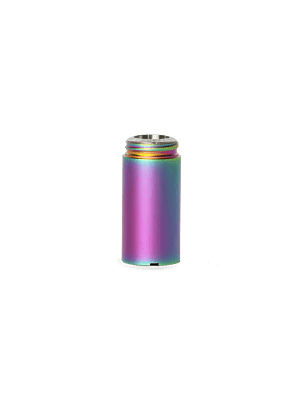
This is where the concentrate gets heated up. It has a coil-less ceramic bowl that heats evenly– helping it create great-tasting vapor without scorching your material. And because there’s no coil design, cleaning is way easier. The chamber itself uses 510 threading, so you can screw it onto your battery.
Battery
A part that powers the device and incorporates just one button. You can lock/unlock it, adjust voltage settings, and engage 'Sesh Mode'. This mode gives you 12 seconds of uninterrupted heat without the need to keep the button pressed.
Puffco Plus Features & Key Specifications
The Puffco Plus offers several features that operate in harmony during use. For a brief look at what the device provides, its key functions are highlighted in the table below.
Feature | What It Offers |
Puffco Plus Voltage Settings | Three selectable levels: Low (Blue), Medium (Green), High (White) |
Dual Usage Modes | Standard Mode (button hold) and Session (Sesh) Mode |
Battery Life | 520 mAh rechargeable battery |
Heating System | Ceramic chamber designed for even heating |
One-Button Control | All functions are operated using a single button |
Automatic Session Heating | Hands-free heating through Session Mode |
Built-in Loading Tool | The Dart tool is integrated into the mouthpiece |
Silicone Wrapping | Provides a comfortable grip and added protection |
Charging Support | USB charging |
Material Compatibility | Designed for wax and concentrate extracts |
How To Use Puffco Plus Pen? A Step-by-Step Guide
However, simply knowing these features isn't sufficient— using them correctly is equally important. Follow these instructions on how to use Puffco Plus properly.
Step 1: Check the Battery Level
Ensure your device is fully charged by connecting it to power and waiting until the indicator light shows it’s ready– starting with a full battery makes sure you won’t be interrupted mid-session due to low power.
Detailed charging instructions are covered later in this guide.
Step 2: Load the concentrate into the chamber
To get to the ceramic chamber, just twist off the mouthpiece. Then use the handy tool that looks like a 'dart'. Extend it by pressing the silicon top to scoop up some concentrate and place it right in the middle of the chamber. You don’t need to tamp it down; just let it sit there loosely.
Step 3: Reattach the mouthpiece
Once done, screw the mouthpiece back on tightly– you’ll know when it’s right. Getting a good seal here is important.
Step 4: Know how to turn on Puffco
In order to switch your device on or off, press the power button five times in quick succession— you’ll know that it’s working because the LED light will blink.
Step 5: Adjust the heat (voltage) setting
To select a heat level, press the button four times to cycle through the options. These include:
Low (Blue)
Medium (Green)
High (White)
With each press, the voltage changes– which is indicated by an LED light in a different color. The setting you choose will stay on until you decide to change it.
Step 6: Understanding Session Mode
Puffco Plus includes a Session (Sesh) Mode, which can be accessed by pressing the button twice quickly. This option allows automatic heating for a set time period—eliminating the need to hold down the button. It’s completely up to you if you want to use this mode.
Step 7: Begin inhaling
Once heating starts—either by holding the button or through Session Mode—inhaling slowly and steadily helps maintain even vaporization.
Step 8: Finish up and turn it off
Heating will automatically cease when your session ends (the light will blink repeatedly). You can also turn the device off manually; just press the button five times quickly.
How To Charge Puffco Plus?
Charging your Puffco Plus is a bit different. The device requires charging via the specific USB charger provided in the kit– and no, it doesn’t charge through the pen with a regular micro-USB or USB-C port.
1. Unscrew the bottom half of your Puffco Plus (the battery portion) from the top half (atomizer/mouthpiece) right above the power button.
2. Attach the included charger to any active USB port– for instance, a wall socket, computer, or power bank.
3. Screw the bottom half of the pen (the battery) onto the opposite, threaded end of the USB charger.
4. Keep an eye on those lights:
If your battery is totally drained when you connect it, the charger light will glow red.
Once charging is complete, this light will flash green, then go out altogether.
Puffco Plus Tips For First-Time Users
Many beginners overlook small details, but proper Puffco Plus instructions make a noticeable difference in performance and longevity. So, here’s what you should be focusing on instead:
Always remember to hold the pen upright, especially when the contents are warm. This helps maintain efficient heating and prevents leaks from entering the battery.
After each use, while the chamber remains just warm– but cool enough to touch– get into the habit of cleaning away leftover residue with a cotton swab.
For a thorough cleaning of the chamber, dart, and mouthpiece, use cotton swabs dipped in at least 90% isopropyl alcohol.
Find your preferred flavor and vapor production by starting on a low setting indicated by the blue light. As you get comfortable with it, you can also try other heat settings.
Please remember that Puffco Plus was created specifically for cannabis concentrates such as wax, resin, rosin, and shatter– do not try dry herbs or any runny liquids.
Final Thoughts
Getting used to the Puffco Plus really enhances your experience once you get to know what's inside the box, learn what each part does, and understand how the button controls work.
Charging the device correctly is also important. So is loading concentrates and picking a suitable voltage.
In addition, there are simple habits to remember, such as cleaning it regularly and storing it upright (when not being used). This guide discussed everything in detail for anyone learning how to use Puffco Plus for a smooth and satisfying experience.
FAQs
1. How long does a Puffco take to charge?
Charging times for Puffco devices vary by model, ranging from approximately 35 minutes for portable pens to 2.5 hours for larger rigs. As for their Plus model, it takes about 30 minutes to fully charge. But this duration assumes the supercharger is available inside the box.
2. What are some common Puffco Plus problems & fixes?
Many issues with the Puffco Plus device, such as trouble connecting, charging issues, or clogging, are easily fixed with routine care. To have a reliable session every time, it is recommended that you clean the parts with cotton swabs dipped in isopropyl alcohol and make it a habit.
3. How long does a session last with this concentrate pen?
Normally, a Puffco Plus session lasts 12 seconds in Sesh Mode, which you can turn on by double-clicking the button. It’s designed for manual operation as well– meaning if you hold down the button, it will power off by itself after 8 seconds (or slightly less), so there’s no risk of overheating while you use it.
4. Is the device portable?
Yes. Puffco Plus is particularly known for its compact, pen-style form factor, which makes it highly portable.
5. Is Puffco a good brand?
Yes, Puffco is often seen as a premium brand in the concentrate vaporizer market, known for quality, design, and reliable performance. Many customer reviews also highlight positive user experiences, as seen on Trustpilot.