
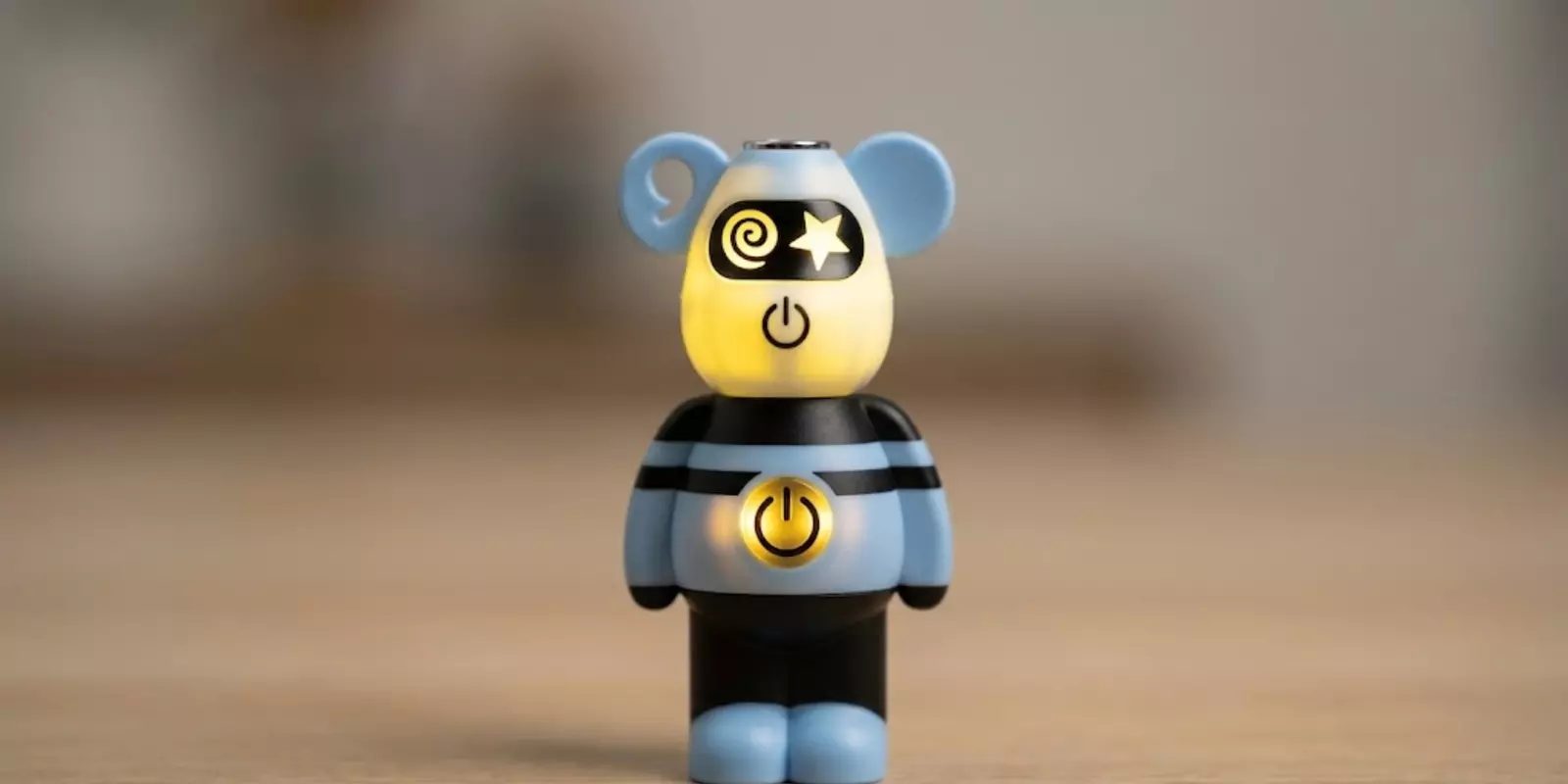
If your Lookah Bear is flashing yellow light, it is worth noting that this happens quite often among users. More often than not, it is not something serious. The yellow light is the device's way of flagging that something needs a closer look, whether it's a low battery, a loose connection, or a cartridge that is not quite compatible.
This guide will walk you through what each of those causes looks like and what you can do to fix them.
What Does The Lookah Bear Flashing Yellow Light Mean?
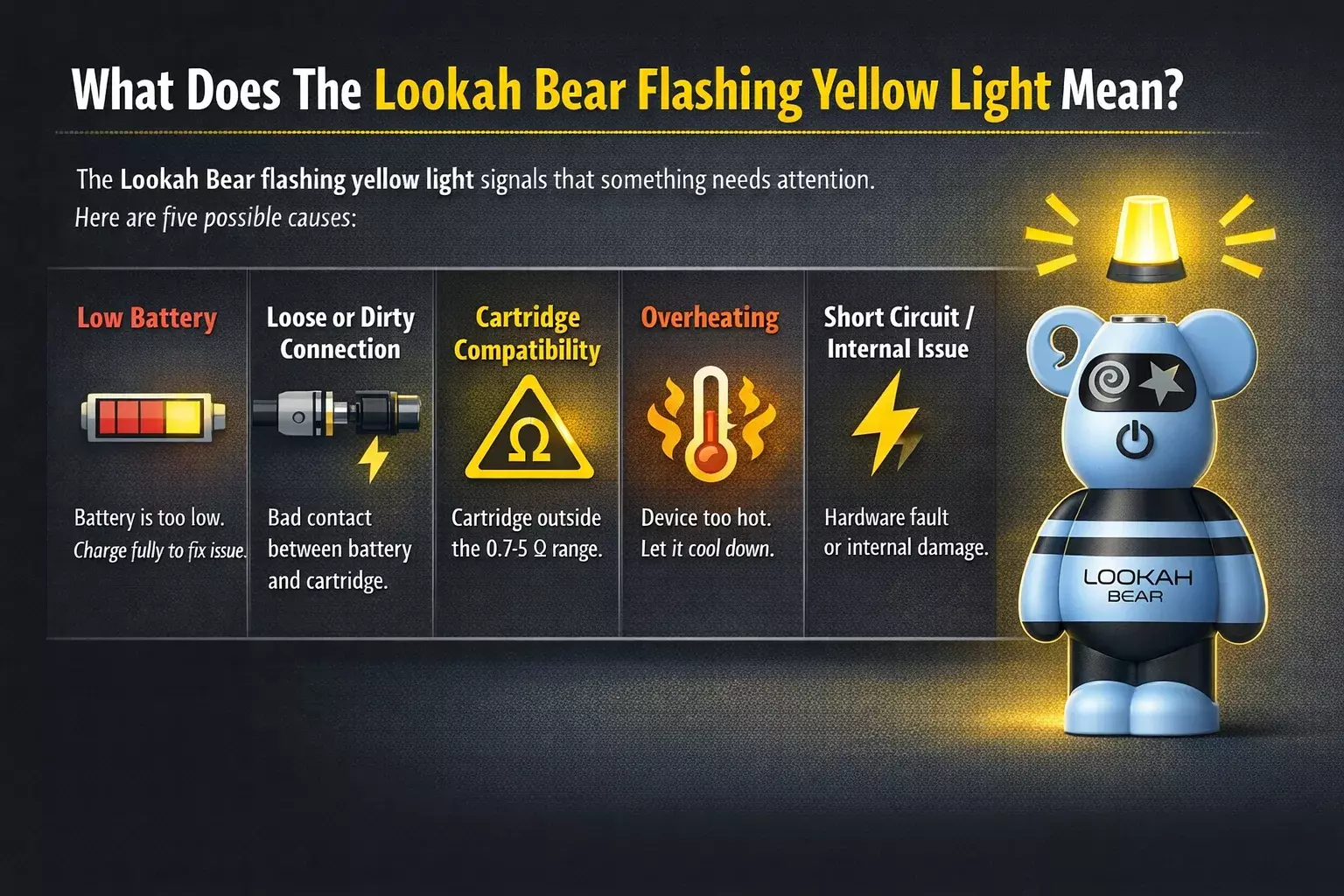
The Lookah Bear flashing yellow light is not random. It is actually the device's way of flagging that something needs attention.
There are five possible causes:
🔋 Low Battery
This is the most common reason. When the battery drops too low to fire reliably, the device starts blinking yellow instead of powering through. Fully charging it usually solves the problem straight away.
🔌 Loose or Dirty Connection
The device needs a clean, secure connection between the battery and the cartridge to work properly. If the contact points are oily or misaligned, the device cannot detect the cartridge and emits a yellow light.
⚠️ Cartridge Compatibility Issue
The Lookah Bear works with cartridges with a resistance range of 0.7 to 5 ohms. If the cartridge falls outside that range, the device detects it and blinks yellow.
🌡️ Overheating
Using the device heavily or in a hot environment can push it past its safe limit. When that happens, the yellow light comes on as a warning to stop and let it cool down before the next session.
⚡ Short Circuit or Internal Issue
This is less common, but it is still worth knowing. Physical damage, water exposure, or prolonged overuse can cause an internal fault that the device flags with the yellow light. In this case, basic troubleshooting is unlikely to help.
Each cause has a specific fix. The next section covers all of them, starting with the most likely.
How To Fix The Lookah Bear Yellow Flashing Light
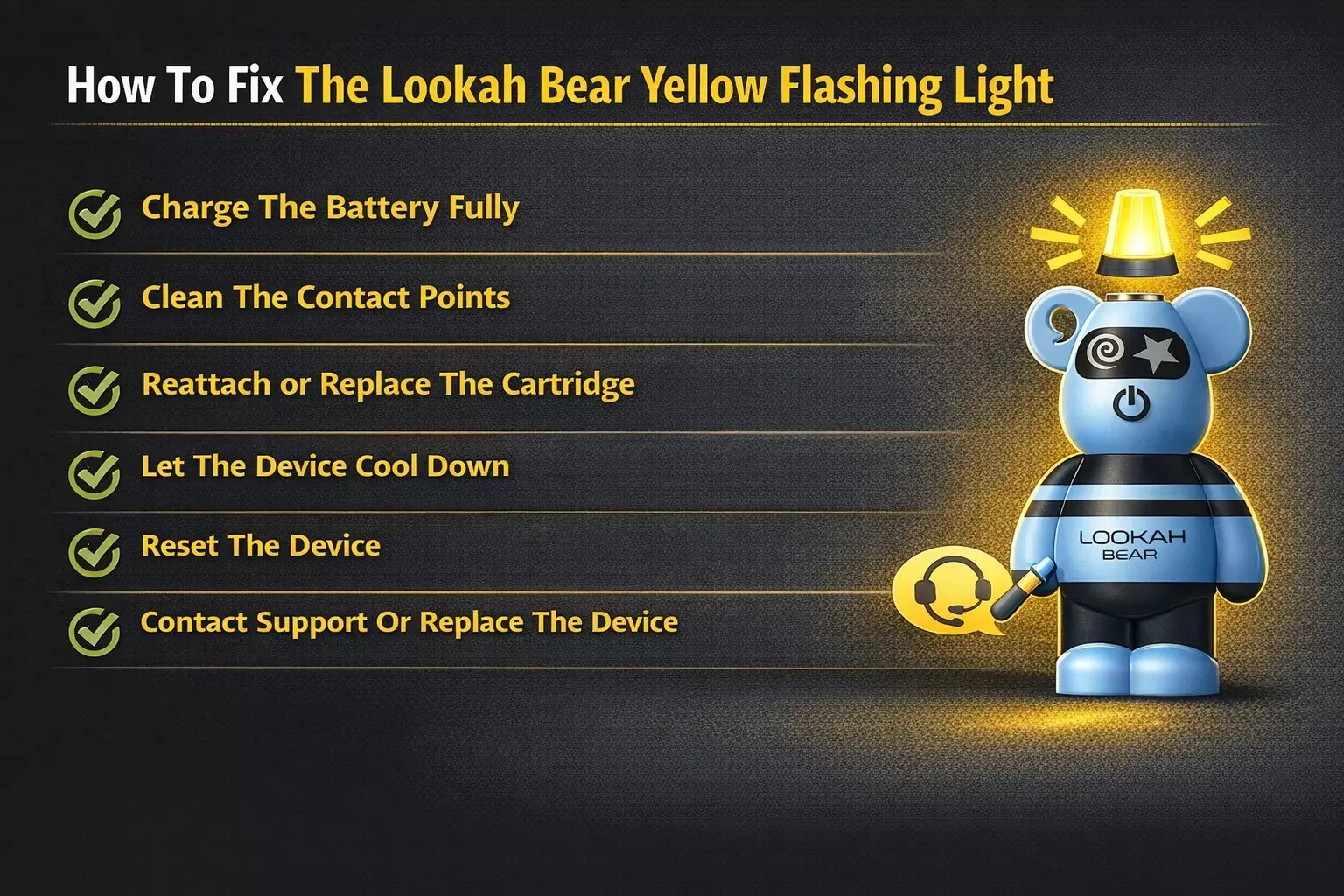
Each cause behind the Lookah Bear yellow flashing light has a straightforward fix. Work through these steps in order, starting with the most common cause first.
✅Charge The Battery Fully
Connect the device to a USB-C charger and let it charge fully before using it again. Avoid off-brand chargers that may not deliver the correct voltage, as these can affect charging reliability over time. All four indicator lights staying solid confirms a full charge.
✅Clean The Contact Points
Remove the cartridge and inspect the contact points on both the battery and the cartridge. Using a cotton swab lightly dampened with isopropyl alcohol, gently clean any residue or buildup from the contact points. Allow everything to dry completely before reattaching the cartridge.
✅Reattach or Replace The Cartridge
Remove the cartridge and reseat it firmly, making sure it is straight and hand-tight. If the yellow light persists, try a different cartridge that is known to fall within the 0.7 to 5 ohm resistance range. This will help determine whether the issue is with the cartridge or the device itself.
✅Let The Device Cool Down
If the device has been used heavily or feels warm to the touch, set it aside for 10 to 15 minutes before attempting to use it again. Avoid using it in direct sunlight or leaving it in a hot environment.
✅Reset The Device
Press the power button five times quickly to turn the device off, then five times again to turn it back on. This can clear a temporary glitch that may be causing the yellow light without any underlying issue.
✅Contact Support Or Replace The Device
If the yellow light persists after working through all of the above steps, the device may have an internal fault that cannot be resolved through troubleshooting. At this point, reaching out to Lookah support or replacing the device is the most practical next step.
Lookah Bear LED Color Indicator Chart
This chart helps to understand what each LED color on the Lookah Bear actually means. The yellow light is just one of several signals the device uses to communicate its current state.
LED Color | Meaning | What To Do |
🟢 Green | Fully charged or functioning normally | No action needed |
🔵 Blue | Medium charge level | Consider charging soon |
🟡 Yellow | Low battery or connection issue | Charge or check cartridge |
🔴 Red | Critically low battery or internal error | Stop use and charge or troubleshoot |
⚪ White (blinking) | Overheating or short circuit protection activated | Let the device cool or replace cartridge |
Keeping this chart in mind makes it easier to diagnose what the device is trying to communicate at any given point, and avoids the common mistake of misreading one signal for another.
How To Prevent The Lookah Bear Yellow Light From Coming Back
Most yellow light issues on the Lookah Bear are reactive. They show up after something has already gone wrong. A few simple habits can keep them from becoming a recurring problem in the first place.
⚠️Keep the Battery Charged Between 20% and 80%
Lithium-ion batteries perform best when they are not regularly drained to zero or pushed to full capacity every single time. Staying within that range extends the overall battery life and reduces the frequency of low battery warnings over time.
⚠️Store The Device Properly
When not in use, keep the Lookah Bear in a cool, dry place away from direct sunlight and moisture. Exposure to heat or humidity over time can degrade the battery and internal components faster than regular use alone.
⚠️Handle It With Care
The silicone body offers some protection against minor drops, but the internal components are still vulnerable to impact. Physical damage is one of the hardest issues to recover from, and most of it is avoidable with careful handling.
⚠️Do Not Leave It In Hot Environments
Leaving the device in a parked car, near a window in direct sunlight, or in any high heat setting can affect the battery and internal components even when the device is not in use.
When Should You Replace Your Lookah Bear Battery?
Most yellow light issues on the Lookah Bear can be resolved through the steps covered above. But there are situations where troubleshooting is not enough and replacing the device is the more practical decision.
Here are four clear signs that it is time to consider a replacement:
🚨The Yellow Light Persists After All Troubleshooting Steps
If the device continues to flash yellow after charging fully, cleaning the contact points, reseating the cartridge, and resetting the device, the issue is likely internal. At that point, further troubleshooting is unlikely to make a difference.
🚨Noticeably Reduced Battery Life
Batteries lose capacity over time. If the Lookah Bear is draining significantly faster than it used to, needing multiple charges throughout the day or cutting out mid-session, the battery may be nearing the end of its usable life.
🚨Visible Physical Damage
Cracks, dents, corrosion, or any visible damage to the device are a signal to stop using it immediately. A physically damaged battery can behave unpredictably and is safer to replace than to continue using.
🚨The Device Is Over A Year Old
Most vape batteries have a usable lifespan of around 6 months to 1 year,, depending on how frequently they are used and how well they are maintained. An older device that is showing performance issues is unlikely to improve with troubleshooting.
📦 Stocking the Lookah Bear? Order through Durity Distribution in bulk with fast fulfillment, competitive wholesale pricing, and reliable shipping across North America. Browse the full Lookah collection or contact us to discuss your order. |
Lookah Bear Flashing Yellow Light: What To Remember
The Lookah Bear flashing yellow is something most users will encounter at some point, and in most cases, it turns out to be minor. A low battery, a loose connection, or a cartridge that is not quite compatible are all straightforward issues with straightforward fixes.
Looking ahead, vaping hardware is only going to get smarter at communicating with users. Devices that already do this well, like the Lookah Bear, are well-positioned as that standard continues to rise. Understanding why your Lookah Bear is flashing yellow and how to respond to it quickly is what keeps the device performing reliably over time, and ultimately what makes it worth stocking and recommending in the first place.
FAQs
Can A Faulty Charger Cause The Lookah Bear Flashing Yellow Light?
Yes, using an off-brand or incompatible charger can deliver inconsistent voltage to the device, which may cause the Lookah Bear to flash yellow even after a charging cycle. Always use a compatible USB-C charger to ensure the battery receives the correct voltage and charges reliably.
How Many Times Can The Lookah Bear Battery Be Recharged Before It Needs Replacing?
Most lithium-ion batteries, like the one in the Lookah Bear, are rated for around 300 to 500 charge cycles before they begin to noticeably lose capacity. After that point, the battery may drain faster than usual and display more frequent low-battery warnings.
Does The Lookah Bear Flash Yellow When It Is Being Charged?
The Lookah Bear does not typically flash yellow during charging. While charging, the indicator lights pulse to show that charging is in progress. A yellow flash during charging may indicate a charging issue worth investigating, such as a faulty cable or adapter.
Can Extreme Cold Weather Cause The Lookah Bear Flashing Yellow?
Yes, extreme cold can temporarily affect lithium-ion battery performance, causing the device to read a lower charge level than what is actually stored. If the Lookah Bear flashing yellow occurs in cold conditions, bringing the device to room temperature before use usually resolves it.
Is The Lookah Bear Flashing Yellow Covered Under Any Warranty?
Warranty coverage depends on where the device was purchased and the retailer's policy. If the Lookah Bear flashing yellow issue persists after all troubleshooting steps and the device is relatively new, it is worth contacting the retailer or Lookah directly to explore replacement or warranty options.