
Vape






Plug in your device. Wait for it to charge. The light turns green. Everything looks fine. But when you try to use it… nothing happens. If your vape pen is not working after charge, it can be incredibly frustrating. You expect it to fire up immediately, not leave you guessing what went wrong.
This issue is more common than you might think. Whether it’s a connection problem, a faulty charger, a locked device, or a battery that isn’t actually holding power, there’s usually a clear reason bhind it. Before assuming your vape is broken, let’s go through the most likely causes and simple fixes to get it working again.
Quick Answer: Why Your Vape Pen Won’t Work After Charging
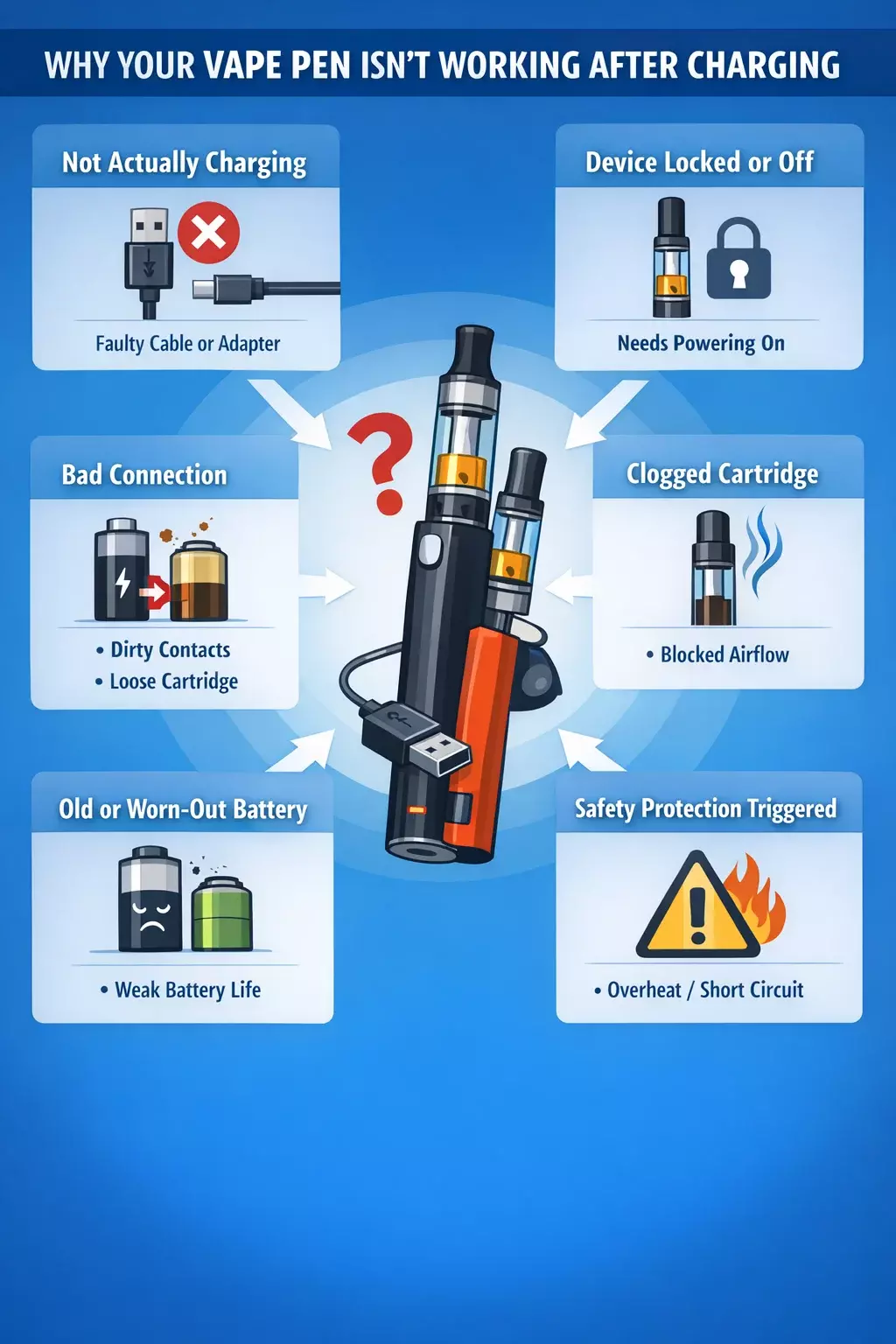
If your vape pen is not working after charge, the problem is usually one of these:
TL;DR — Most Common Reasons:
🔌 It didn’t actually charge – The cable, adapter, or power source may be faulty.
🔒 The device is turned off or locked – Many pens require 5 quick clicks to power on.
🔋 Battery is worn out – Older batteries may show “full” but won’t hold a charge.
🧩 Loose or dirty connections – Dust or oil buildup can block contact between the battery and cartridge.
🌬 Clogged airflow or cartridge issue – The battery works, but vapor can’t pass through.
⚠️ Internal safety protection triggered – Overheating or short-circuit protection may temporarily disable firing.
The good news? In most cases, this isn’t a serious failure. A quick cable swap, a clean connection, or a simple reset often fixes the issue in minutes. Below, we’ll walk through exactly how to identify the cause and get your device working again.
6 Common Causes Of Vape Not Working After Charge
When your vape pen is not working after charge, the issue is often simpler than it seems. Below are the most common reasons, starting with the one most people overlook.
The Vape Pen Isn’t Actually Charging
If you’re asking, “Why won’t my vape charge?” or “Why is my vape not charging even though it’s plugged in?”, there’s a good chance the battery never received proper power.
Just because the indicator light turns on doesn’t always mean the device is charging fully.
🔎 What Might Be Happening:
Damaged or low-quality charging cable
Loose USB connection
Faulty wall adapter
Laptop USB port not delivering enough power
Dust or debris blocking the charging port
Internal charging pin not making contact
Note: This is especially common with a rechargeable disposable vape not charging, where smaller ports are more sensitive to connection issues.
Sometimes the device appears to charge, but the battery percentage barely increases, which leads to a vape not charging situation that only becomes obvious when you try to use it.
⬛ Quick Fix: Try This First
Before assuming your device is broken:
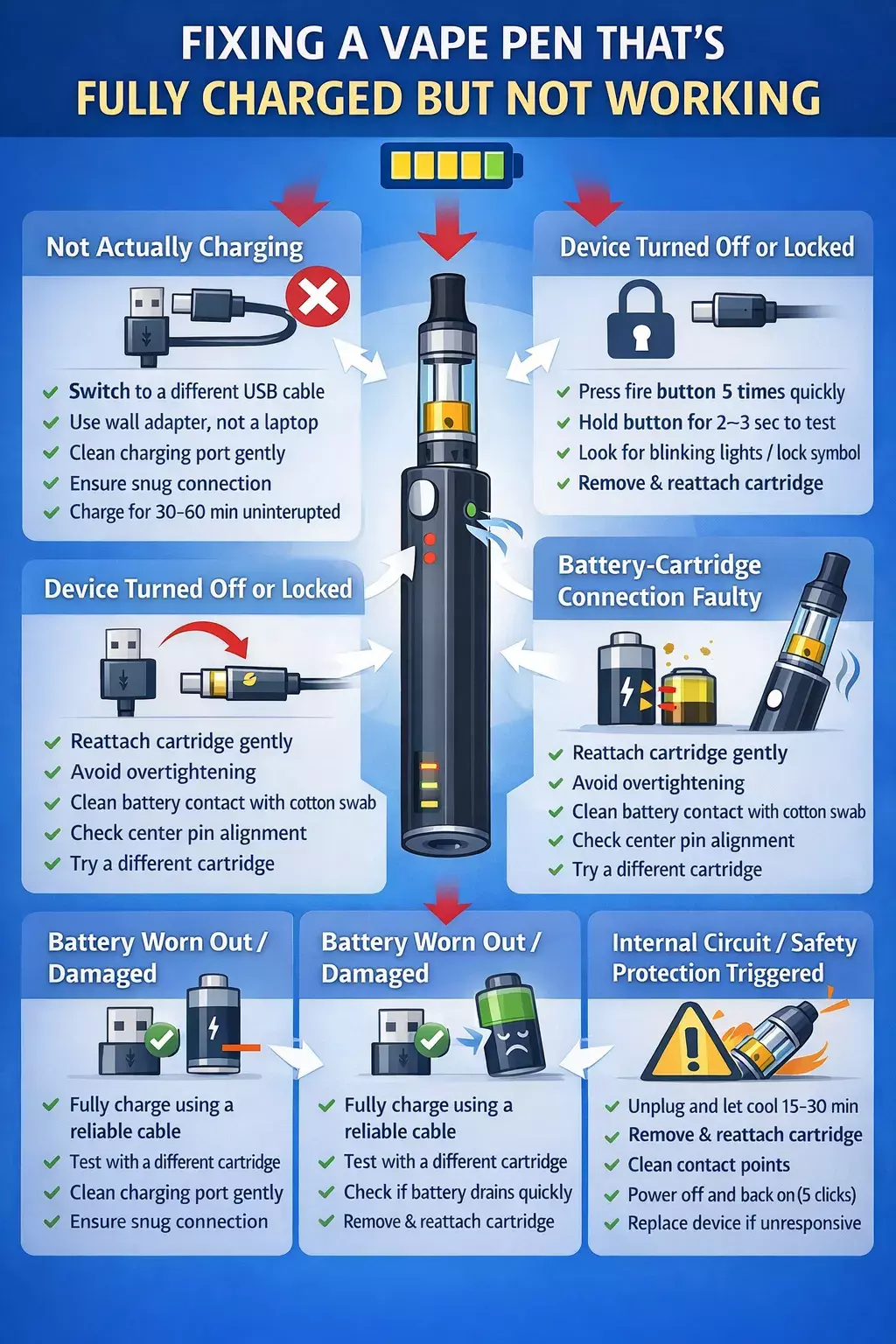
✔ Switch to a different USB cable
✔ Plug into a wall adapter instead of a computer
✔ Gently clean the charging port with compressed air
✔ Make sure the charger fits snugly, no wiggle
✔ Let it charge for at least 30–60 minutes uninterrupted
The Device Is Turned Off Or Locked
It may sound obvious, but sometimes the issue isn’t charging at all; it’s simply that the device is powered off. Many vape pens include a built-in safety lock. After charging, being stored in a pocket, or sitting unused for a while, the device can automatically turn off.
When you press the button and nothing happens, it’s easy to assume something is wrong with the battery, even when it’s fully charged.
🔎 What Might Be Happening:
The device powered off automatically
Accidental button clicks activated the lock
A safety feature engaged during charging
The device shut down after inactivity
⬛ Quick Fix: Try This
✔ Press the fire button 5 times quickly
✔ Watch for blinking lights or vibration feedback
✔ Hold the button for a few seconds to test
✔ Remove and reattach the cartridge if needed
Connection Between Battery and Cartridge Is Faulty
If your device charges properly but still doesn’t produce vapor, the issue may be the connection point between the battery and cartridge.
Even when fully powered, a vape pen won’t fire if the battery can’t properly touch the cartridge contact. This is a frequent reason behind a vape pen not working after a charge, especially with 510-thread devices.
🔎 What Might Be Happening:
Cartridge screwed on too tightly or too loosely
Oil residue is blocking the contact point
Center pin pushed down too far
Threads slightly misaligned
Incompatible cartridge and battery
⬛ Quick Fix: Try This
✔ Unscrew the cartridge and reattach it gently (don’t overtighten)
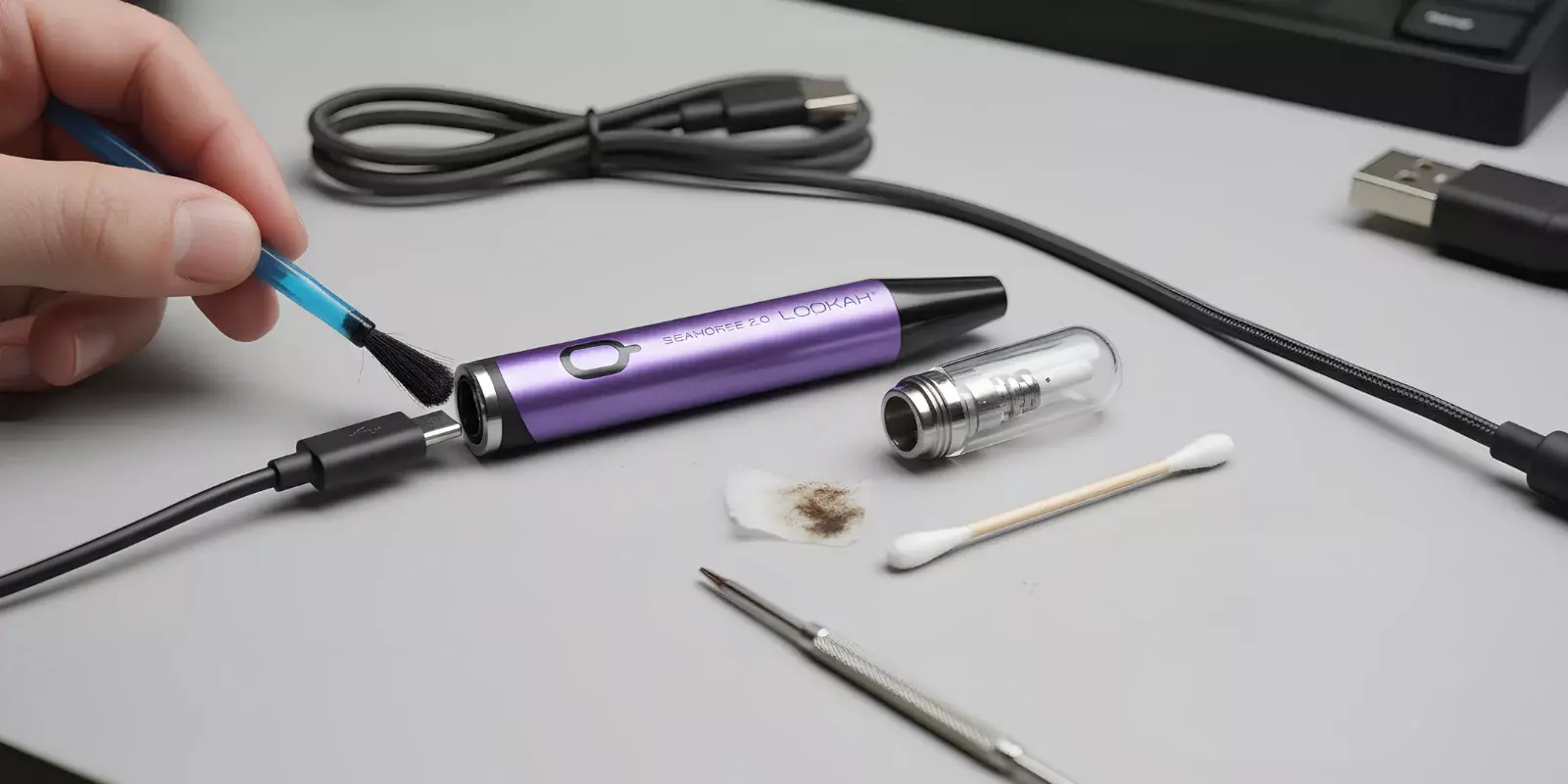
✔ Clean the battery contact with a cotton swab
✔ Check if the center pin looks pushed down
✔ Try a different cartridge if available
Clogged Cartridge or Airflow Issues
Sometimes the battery is working perfectly, but the airflow is blocked.
If your vape pen still isn't working after charging and the light turns on when you press the button, the issue may not be electrical.
A clogged cartridge or restricted airflow can prevent vapor from passing through, making the device appear nonfunctional.
🔎 What Might Be Happening:
Oil has thickened and blocked the airflow
Condensation buildup inside the mouthpiece
Debris or pocket lint is blocking air vents
Cartridge internal coil flooded or clogged
⬛ Quick Fix: Try This
✔ Take a few gentle primer pulls without pressing the button
✔ Warm the cartridge slightly in your hands to loosen thick oil
✔ Check and clean the mouthpiece opening
✔ Ensure air vents are not covered while inhaling
Battery Is Damaged or Worn Out
Lithium-ion batteries don’t last forever. If your vape pen is not working after a charge, the battery may power on, but no longer holds enough energy to function properly.
Over time, internal battery cells degrade. This means the device might show a full charge, the indicator light may turn on, but the power output drops quickly when you try to use it.
Fact Check: Most lithium‑ion vape batteries are designed for approximately 300–500 charge cycles before noticeable performance degradation begins, which explains why older devices often fail even after charging.
🔎 What Might Be Happening:
The battery drains immediately after unplugging
The device blinks repeatedly when you try to fire
Charging time is much shorter than it used to be
The device heats up abnormally during charging
The pen is over 6–12 months old with regular use
Also Read:Ooze Pen Blinking Green? A Quick Guide |
⬛ Quick Fix: What You Can Do
✔ Let it charge fully using a reliable cable
✔ Test with a different cartridge to rule out connection issues
✔ Check if the battery drains within minutes
✔ Consider replacing the battery or device if it’s older
Internal Circuit, Chipset, or Safety Lock
Modern vape pens include built-in safety features designed to prevent overheating, short circuits, and overcharging. If your vape pen is not working after charge, the device may actually be protecting itself.
When an internal safeguard is triggered, the battery can temporarily disable firing, even if it appears fully charged. This can make it appear to be a charging failure, when it’s actually a protective shutdown.
🔎 What Might Be Happening:
Short-circuit protection activated
Overheat protection triggered during charging
Overcharge protection temporarily locks firing
Internal chip malfunction
Liquid leaked inside and disrupted circuitry
⬛ Quick Fix: Try This
✔ Unplug the device and let it cool for 15–30 minutes
✔ Remove the cartridge and reattach it
✔ Clean connection points to prevent false short detection
✔ Try powering it off and back on (5 clicks if applicable)
✔ If there is no response at all, the internal board may be damaged
How To Fix A Not Working Vape Pen: Troubleshooting Guide
If your vape pen is fully charged but still not responding, don’t rush to replace it just yet. Instead of guessing, follow the steps below in order.
Let’s start with the basics and work our way through it.
Step 1: Confirm Your Device Is Charged
Before assuming something serious, verify that the device truly received power.
Plug it into a different wall adapter
Try a different USB cable
Avoid charging through a laptop
Let it charge uninterrupted for at least 30–60 minutes
If you’ve been wondering, ‘Why won’t my vape charge?’, this step alone might solve the issue.
Step 2: Eliminate Power Transfer Issues
Even if charging appears normal, weak contact can prevent proper power flow.
Inspect the charging port for dust or debris
Clean gently using compressed air or a soft, dry tool
Ensure the charger fits snugly without movement
Small obstructions often explain why users think their vape is fully charged, but it won’t respond.
Step 3: Rule Out Charger and Cable Problems
Charging accessories fail more often than devices.
Swap to a different USB cable
Try a different wall adapter
Avoid fast chargers unless the device supports them
If switching cables resolves the issue, the original setup was the problem.
Step 4: Test the Device-to-Cartridge Connection
If the battery lights up but no vapor is produced, shift your focus to the cartridge.
Remove and reattach it carefully
Avoid overtightening
Clean the contact points between the battery and the cartridge
Poor contact can make it seem like the device isn’t functioning, even when the battery is fine.
Step 5: Confirm the Device Isn’t Locked or in Protection Mode
Safety systems may prevent firing even when charged.
Press the fire button five times quickly to power it on
Watch for blinking lights indicating lock mode
Let the device cool down if it feels warm
Internal protection may temporarily disable use to prevent damage.
Step 6: Determine If the Battery Has Reached End of Life
If none of the above steps work, consider battery wear.
Does it drain immediately after unplugging?
Is the device over 6–12 months old?
Does it blink repeatedly when firing?
⚠️ When You Should NOT Attempt to Fix It Yourself?
Most charging issues are minor. However, some warning signs mean you should stop troubleshooting and replace the device immediately.
Do not attempt further fixes if you notice:
🔥 The device becomes extremely hot while charging
🔋 The battery appears swollen or warped
👃 A burning smell during charging
💧 Liquid leaking inside the charging port
⚡ Sparking or inconsistent power behavior
If any of the above signs appear, discontinue use and replace the device rather than attempt repairs.
Special Case: Rechargeable Disposable Vape Not Charging
If you're dealing with a rechargeable disposable vape not charging, the troubleshooting process can be slightly different from standard vape pens. Here's how to narrow it down quickly:
Problem You Notice | Most Likely Cause | What It Means | What To Do |
No charging light at all | Faulty cable or dead battery | The device isn’t receiving power | Try a different cable and wall adapter |
Light turns on briefly, then off | Weak power source | Not enough current to sustain charging | Use a wall adapter instead of a laptop |
Device charges but won’t hit | Airflow blockage | The battery works, butthe vapor path is blocked | Check the mouthpiece for clogs |
Device blinks repeatedly | Safety protection triggered | Internal short or overheating | Let it cool down and retry |
Fully charged, but no response | Battery degradation | The disposable battery has reached the end of life | Replacement likely needed |
Charger feels loose in port | Damaged charging port | Internal contact may be bent | The device may not be repairable |
Safety Tips: Prevent Future Charging Issues
Here are a few simple habits that can prevent most charging problems before they start:
|
Still Not Working? Here’s What It Really Means
If your vape pen is not working after charge, the cause is usually minor:
A weak cable
A loose connection
Clogged cartridge, or
Locked device.
In most cases, a simple check or small adjustment gets it working again within minutes.
However, if you’ve tested the charger, cleaned the contacts, confirmed it’s powered on, and ruled out airflow issues, the battery may simply be at the end of its lifespan. Rechargeable devices, especially compact or disposable models, aren’t built to last forever.
When repeated troubleshooting doesn’t solve the problem, replacing the device is often the safest and most reliable option
FAQs
Why Is My Vape Lighting Up But Not Hitting?
A vape that fails to light up or charges intermittently has unclean contact points, a broken USB port, or a defective cable. Residue from e-liquid can often obstruct the connection, or the internal battery may be too depleted to charge. Attempt to clean the port using a toothpick, try a different cable or adapter, or allow it to charge for an extended period.
For an in-depth understanding, read our blog on: Why Is My Vape Lighting But Not Hitting Up?
Why is my vape not charging anymore?
Vape pens may not charge due to dirty, broken, or blocked charging ports; defective USB cables or chargers; or batteries that are completely drained or worn out. Additional common reasons include using an inappropriate power source, such as a high-voltage wall adapter, or e-liquid residue leaking into the connection.
Can a vape battery fail after charging?
Indeed, a vape battery may malfunction immediately after or during charging, often due to wear and tear, overcharging, or damage. Typical reasons include hitting its 300-500 charge cycle lifespan, internal harm from incorrect charging, or component malfunction. Indicators of failure include the device remaining unresponsive even after a full charge, overheating, or an inability to maintain a charge.
How long should a vape charge before it works?
Recharge times for vapes usually range from 30 minutes to 3 hours, depending on the battery size (mAh) and type. Smaller pod systems typically take 30 to 60 minutes to fully charge, whereas larger vape pens or mods with higher capacity may take up to 3 hours. Always use the manufacturer-supplied cable to avoid damage.
Important Safety Note
We’ve shared tips for troubleshooting your vape pen, but remember: these devices contain lithium-ion batteries and electronic components that can be dangerous if mishandled.
If your vape is swollen, leaking, overheating, sparking, or showing signs of internal damage, stop using it immediately. Don’t try to fix severe issues yourself; replacing the device is the safest choice.
Always follow the manufacturer’s instructions for charging and maintenance. Durity Distribution isn’t responsible for any damage or injury resulting from the misuse of vape products.