
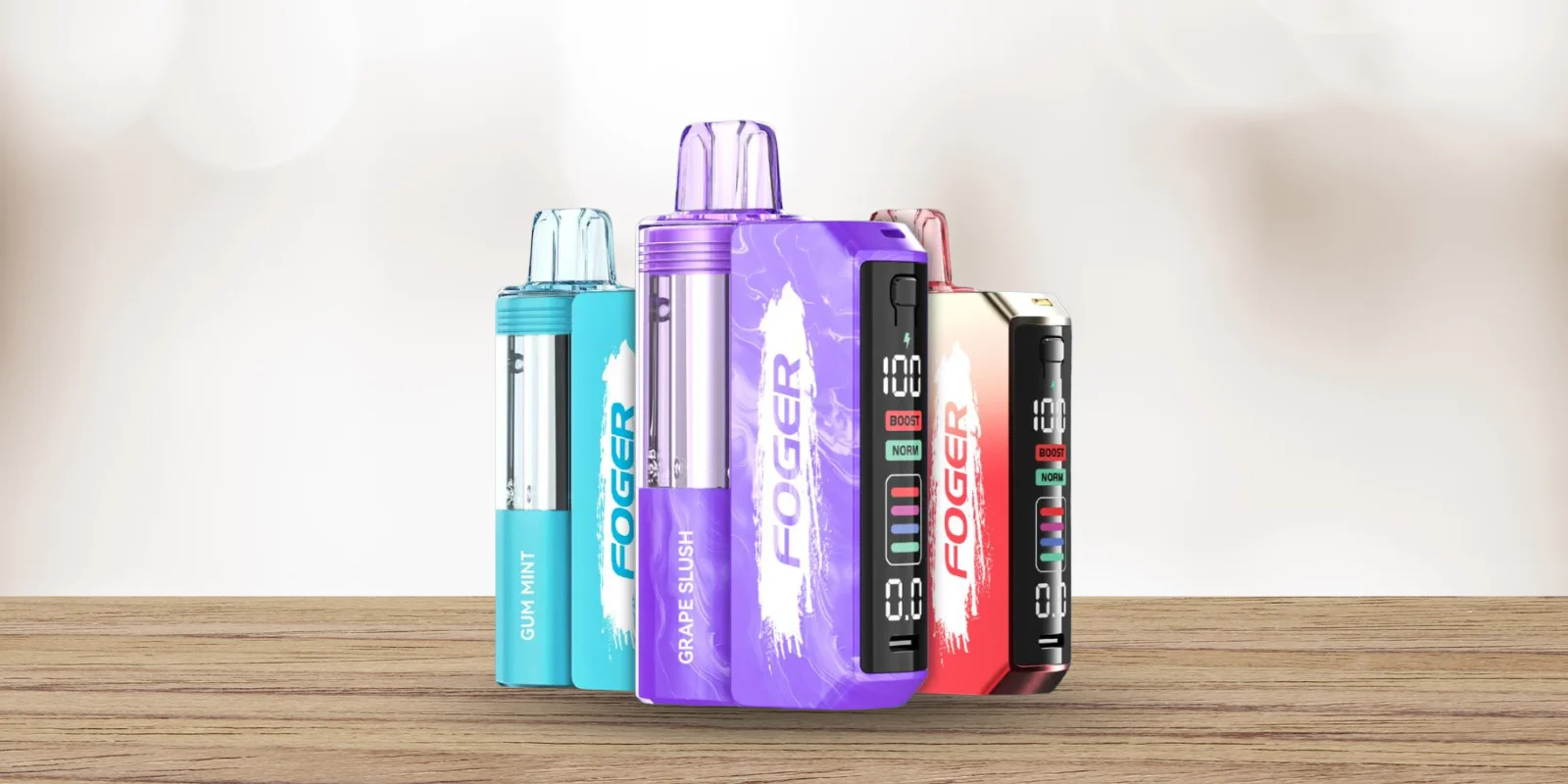
You picked up your device for a quick hit, and instead of vapor, all you got was a blinking light. It happens to almost every Foger user at some point, and the good news is that it is rarely a sign that your device is broken. A blinking Foger vape is simply the device's way of talking to you.
It could mean the battery needs a charge, the pod is not seated right, or a pod that is near the end. In most cases, you can fix foger blinking issues yourself in under five minutes, without any tools. This guide walks you through exactly what each blink pattern means and how to fix it, step by step.
Quick Answer: Why Is My Foger Vape Blinking?
Your Foger vape is blinking because the device is signaling one of three things: the battery is low, the pod is not properly connected, or the device has detected an error like an empty pod or an overheating coil.
If your Foger vape is doing this | It usually means |
Blinking while you take a hit | Low battery |
Blinking green | Charging is in progress |
Blinking red | Battery is critically low |
Blinking nonstop, very fast | Loose pod or bad connection |
Showing a code on screen | Pod issue or overheating |
No light at all | Battery is fully dead |
⭐ Wish to do a quick check for your blinking Foger vape? Charge the battery base, remove and reattach the pod, wipe the contact points with a dry tissue, and check whether the mouthpiece or airflow area is blocked.
What Does A Blinking Foger Vape Usually Mean?
Think of the blinking light or screen code as a built-in warning system rather than an instant sign that the device is broken. Foger devices, like many rechargeable disposables and pod systems, are designed to stop firing when something needs attention, such as low power, a weak pod connection, or a safety cutoff. That warning often appears as a blinking light or screen code.
Most blinking patterns fall into three main categories:
⚡Power related: The battery is low, fully drained, or currently charging.
⚡Connection related: The pod is not sitting correctly on the battery base, or the contact points need cleaning.
⚡Usage related: The puff may be too long, airflow may be restricted, or the device protection may activate after repeated pulls.
Once you know which category your Foger blinking issue falls into, it becomes much easier to decide what to check first. The sections below break down each possible reason in more detail.
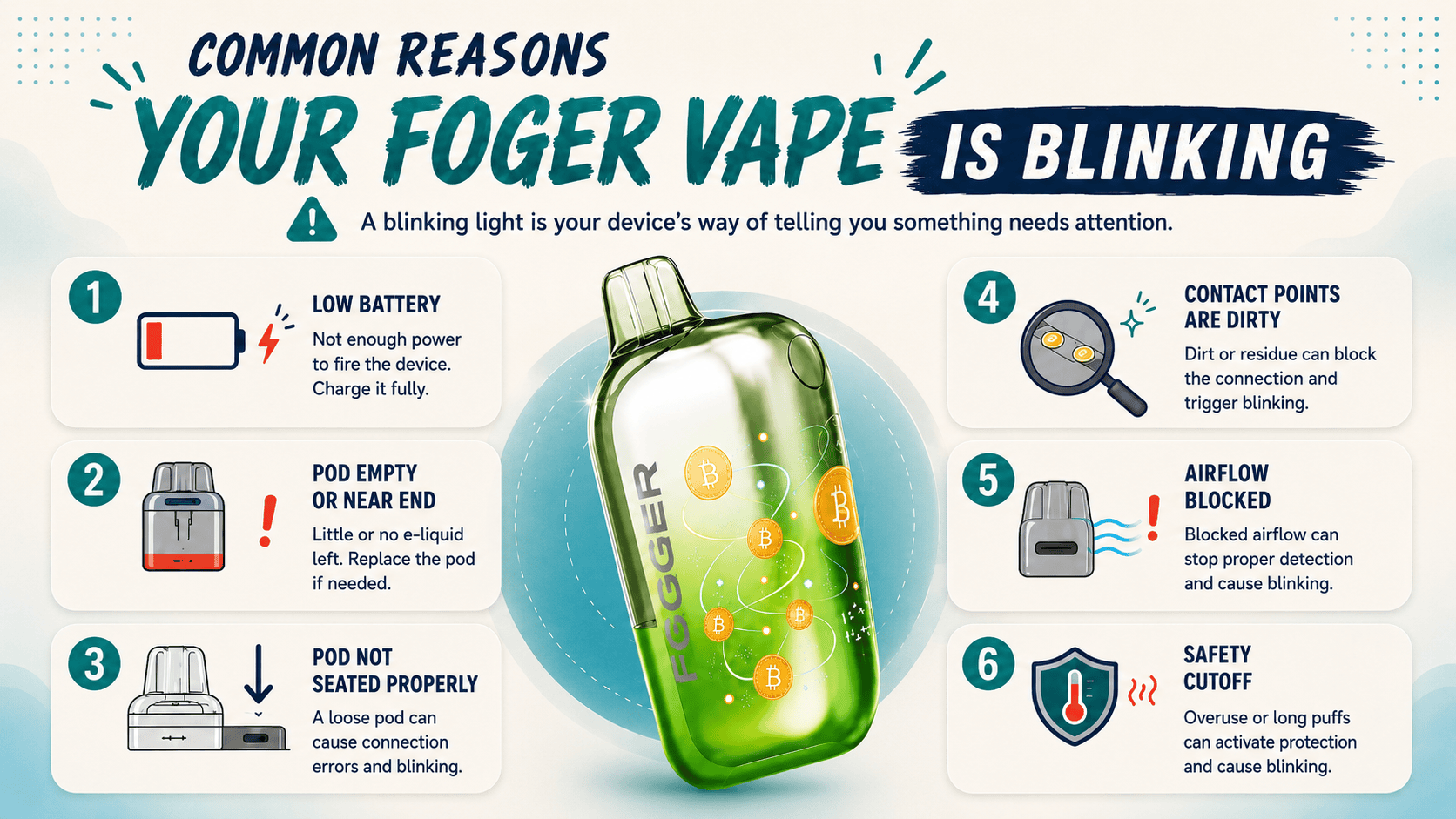
Common Reasons Your Foger Vape Is Blinking
1. The Battery Is Low
One of the most common reasons for Foger blinking is a low battery. If your device blinks when you try to take a puff, the battery base may not have enough power to activate properly.
For rechargeable Foger models, connect the device using a suitable USB-C cable and let it charge. If the blinking stops after charging, the issue was most likely battery related.
💡 Tip: If your Foger vape battery blinking continues even after charging, try a different cable or charging block. Sometimes the cable is the issue, not the vape. |
⭐ Read more on: How Long To Charge Disposable Vape
2. The Pod Is Empty Or Near The End
A blinking light can also mean the pod is finished or close to empty. This is more likely if the vapor feels weak, the flavor has faded, or the device blinks every time you try to hit it. For Foger pod systems, replacing the pod may solve the issue if the battery base still works properly.
💡 Quick tip! Do not keep forcing the device if the pod tastes burnt, feels dry, or produces very little vapor. |
⭐ Know more on: How Long Do Foger Vapes Last?
3. The Pod Is Not Seated Properly
Foger devices that use a pod and battery base need a clean, secure connection. If the pod is slightly loose, the battery base may not read it correctly. This can cause blinking, no vapor, or inconsistent performance. Remove the pod, check the bottom connection area, and place it back firmly. Make sure it sits evenly and does not feel loose.
4. The Contact Points Are Dirty
Dust, pocket lint, residue, or moisture can block the contact points between the pod and battery base. When this happens, the device may blink because it cannot detect the pod properly.
⭐What can you do? Use a clean, dry tissue or cotton swab to gently wipe the gold contact points on the pod and battery base. Avoid using water or harsh cleaners. |
5. The Airflow May Be Blocked
If your Foger vape blinks but does not hit, the airflow path may be blocked. This can happen if the mouthpiece is covered, the airflow area is clogged, or the device is not detecting your inhale correctly.
⭐What can you do? Check the mouthpiece and airflow area for lint or blockage. Keep the device upright and make sure nothing is covering the airflow inlet while you inhale. |
6. The Device May Have Hit A Safety Cutoff
Some vape devices blink when the puff is too long or when the device needs a short break between pulls. This is a built-in protection feature that helps prevent overheating. If this happens, stop using the device for a few minutes. Take shorter, smoother pulls when you try again.
What Does The 188 Blinking Code Mean On A Foger Vape?
If your Foger Switch Pro shows the number 188 along with a blinking light, do not panic. This is one of the most common error codes users notice on this device, and it usually points to one of two things.
The pod is empty: Once the e-liquid runs out, the device may stop producing vapor and display 188 instead of continuing to fire on a dry pod.
The pod is not being recognized: This can happen when the pod is not clicked into place properly, or when the gold contact pins on the pod or battery base have residue on them.
✔️ Here is how to clear it:
Remove the pod completely from the battery base.
Check the e-liquid window. If it is empty, you need a new pod, not a fix.
If liquid is still visible, wipe the gold pins on both the pod and the base with a dry tissue or cotton swab.
Snap the pod back into place until you feel and hear it click.
Take a short test puff.
If the 188 code still appears after these steps, the pod may need replacement. If a new pod does not solve the issue, the battery base may be the problem.
How To Fix A Blinking Foger Vape: Step-By-Step Checklist?
Work through these steps in order to fix your Foger vape. In many cases, the issue is solved within the first two or three checks.
Step 1: Charge The Device Fully
Plug in your Foger using a USB-C cable and a standard charging source. Avoid using high-powered fast chargers meant for phones, as they may not be ideal for small vape batteries. Let the device charge for 30 to 45 minutes before testing it again.
Step 2: Remove And Reseat The Pod
Take the pod off the battery base, wait a few seconds, and press it back on firmly until it clicks into place. A pod that is slightly crooked or not fully pressed down is one of the most common reasons a device blinks.
Step 3: Clean The Gold Contact Pins
Use a dry tissue, cotton swab, or soft cloth to gently wipe the gold pins on both the pod and the battery base. Do not use water or liquid cleaner on these contacts, since moisture can create new connection problems.
Step 4: Let The Device Cool Down
If the device feels warm, set it aside for 10 to 15 minutes. Some vape devices stop firing temporarily after repeated pulls, and the blinking may stop once the device has had time to rest.
Step 5: Try A Different Charging Cable
If the device blinks when plugged in but does not seem to charge, the cable may be the problem rather than the battery. Try a different USB-C cable and check whether the behavior changes.
Step 6: Check The E-Liquid Level
Look through the pod’s viewing window. If the pod is empty or nearly empty, charging or cleaning will not stop the blinking. You will need a fresh pod.
Step 7: Replace The Pod If Blinking Continues
If you have gone through every step above and the blinking has not stopped, the pod may be the source of the problem rather than the battery base. Try replacing the pod before assuming the full device needs to be replaced.
⭐ Trying Foger vape for the first time? Read this first: |
When Should You Replace The Pod, Battery Base, Or Full Device?
Not every blinking issue can be fixed with charging or cleaning. Here is a simple way to know when it may be time to swap a part instead of troubleshooting further.
Situation | What Does It Likely Means? | What To Do? |
Blinking stops once the device is fully charged | The battery was low | No replacement needed |
Blinking returns after cleaning and reseating the pod | Pod connection issue or pod sensor issue | Replace the pod |
Device will not hold a charge | Battery base may have reached the end of its life | Replace the battery base |
Burnt smell or burnt taste appears along with blinking | Coil inside the pod may be damaged or dry | Replace the pod |
Physical cracks, leaking, or water exposure | Possible internal damage | Replace the full device |
Battery base charges fine, but multiple pods still will not connect | Battery base contact pins may be damaged | Replace the battery base |
💡 If the battery base or full device needs replacement, do not throw it in regular trash. Follow proper battery collection and recycling procedures for safer battery disposal.
Frequently Asked Questions
Why Is My Foger Vape Blinking While Charging?
A blink or steady light while the device is plugged in is normal and simply shows that charging is in progress. If the light is blinking rapidly or in an unusual pattern, try a different cable first, since a faulty cable is the most common reason charging looks like an error.
Is It Safe To Keep Using My Foger Vape While It Blinks?
It is best to stop and address the cause first. Continuing to pull on a device that is blinking from a low battery or an overheating coil can shorten its lifespan or damage the pod. A quick check usually takes less than five minutes, so it is worth pausing before your next hit.
Why Is My Foger Vape Blinking Green?
A green blink on a Foger device with a dock and pod system typically means the battery base is actively charging the pod. This is normal behavior and not an error. It should stop on its own within a couple of minutes once the pod reaches a full charge. If it continues for much longer than that, remove the pod, clean the contact pins, and reattach it.
⭐ Know more on: How Long To Charge Disposable Vape
Why Is My Foger Vape Battery Blinking?
Your Foger vape battery may be blinking because it is low on charge, still charging, not reading the pod correctly, or having trouble connecting through the contact pins. Charge the battery base fully, clean the gold contact points, and reseat the pod. If it still blinks after that, the pod or battery base may need replacement.
Does Blinking Mean My Foger Vape Is Empty?
Not always, but it can be one of the reasons. An empty pod is one of several triggers for a blinking light, alongside a low battery, a loose connection, or an overheating coil. Checking the e-liquid window through the pod is the fastest way to rule this cause in or out.
Why Is My Foger Vape Blinking But Not Hitting?
This combination almost always points to a power or connection problem rather than a flavor or vapor issue. The most common causes are a battery that is too low to fire, a pod that is not seated correctly, or contact pins that need cleaning. Work through the charging and cleaning steps above, and the device should start hitting normally again.
Disclaimer: This guide is for general troubleshooting and informational purposes only. Always follow the manufacturer’s instructions for your specific Foger device. If the vape is damaged, leaking, overheating, or still blinking after basic checks, stop using it and replace the affected pod, battery base, or device.