
Geek Bar
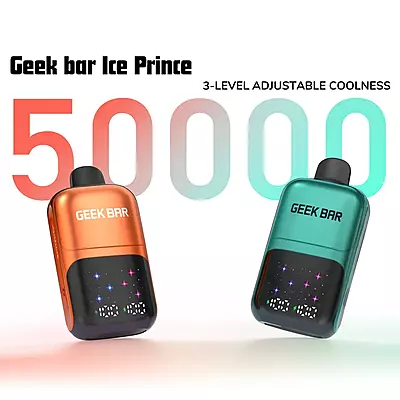


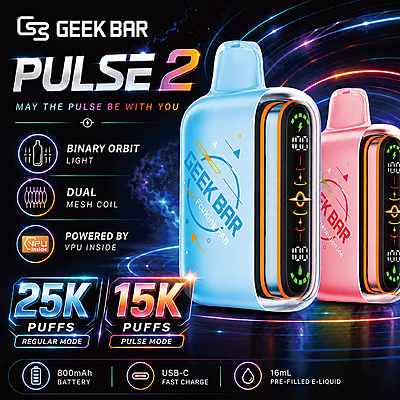

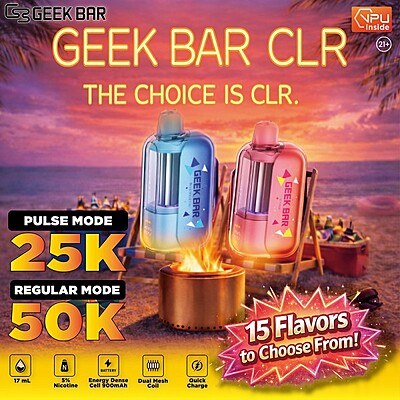
You’re holding your Geek Bar Pulse, ready for a smooth vaping session, when suddenly the device starts flashing red. Confused and a bit frustrated, you wonder, “Why is my Geek Bar flashing red?” Don’t worry—this problem persists for many vapers out there. There could be several reasons why your vape is behaving this way.
To help you fix the issue you’re encountering, we’ve curated this blog. It breaks down all the reasons behind that red light and suggests what needs to be done on your part. Continue reading if you want your next session with Geek Bar Pulse to happen.
Why Is My Geek Bar Flashing Red
Sometimes your Geek Bar Pulse may not work as expected, leaving you wondering the answer to “why is my Geek Bar not hitting and flashing red?” There’s likely a problem preventing you from using your device, but it’s possible that a specific setting is causing the issue. So, instead of panicking and buying a new one, it’s better to understand what’s going on. We’ve listed the general reasons here for your understanding. Have a look!
website. Alternatively, when you select a text box
1. The device might be flashing because Pulse Mode is active.
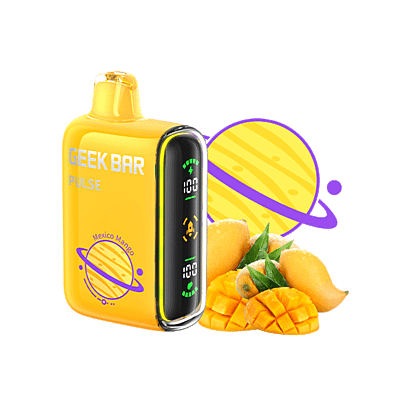
Geek Bar Pulse is a popular vape highly appreciated for its dual vaping modes: Normal and Pulse. You can choose between these modes as per your preference. There’s a slider located at the bottom of the device—you just need to toggle it to change the mode and set it to Pulse. As you do this, you’ll notice the ring (located at the edge of the animated screen) changes to red, and an orange-colored rocket appears in the center.
Now, one possibility is that you’ve set the mode to Pulse, and your device is working perfectly fine. In this case, there isn’t any issue—the red light simply indicates a mode change. The other possibility is that the device isn’t working in Pulse Mode, yet the red light is still blinking. This means there’s likely another reason behind it.
2. The device could be cutting off because you’re drawing for too long.
Vapes have evolved, too. Modern ones, like Geek Bar Pulse, have a built-in timer that trips if there’s a possibility of the device overheating. This setting is highly useful and indicates when you need to pause while using the device. While it’s a helpful feature, it could also be the reason behind many online searches asking, “Why is my Geek Bar flashing red?”
Understand it this way: you take long puffs, the timer trips, and your device cuts off. When that happens, a red light appears to indicate the event.
3. A critically low battery can often trigger the red flash indicator.
Ordinarily, vapes from Geek Bar feature an animated screen that helps you track your vaping sessions. This screen displays everything — battery level, e-liquid level, and the mode you’re currently using. When it comes to the battery, there’s an indicator that ticks down as you vape. As soon as this indicator hits the bottom, it means your device needs to be charged.
Makes sense, right? What doesn’t help is the fact that this entire “battery thing” can also lead to a red flashing light issue. There’s a possibility that the battery level went critically low as you continued vaping, reaching a point where the device automatically shut off. When that happens, a red light will appear.
Such an indication is normal and occurs in all models. Charging the device usually restores the screen's light. The problem arises when it doesn’t — or when the screen stays active while charging, but turns black the moment you remove the cable. Such a situation likely means the device is damaged.
Read more:How To Charge A Geek Bar: Best Guide.
4. A minor firmware bug could be causing the red flashing.
Firmware is nothing but software — or better said, a set of instructions coded into a memory chip. This set of instructions stays stored on the device and can sometimes crash. While there can be a bug causing it or not, almost all vapes today are smartly engineered. Brands are constantly introducing new models to stay competitive. Geek Bar Meloso 30K and Geek Bar Skyview are some popular options.
These new models, of course, come with a larger number of features, which is only possible if their firmware is more complicated. Though it’s great to have more features, a complex firmware also means there’s always a chance of a crash. When that happens, the device may stop working, and a red light will start flashing.
5. Your Geek Bar’s puff sensor could be jammed or blocked.
A jammed or blocked puff sensor is another reason that can cause the red light to flash while using your Geek Bar Pulse. The puff sensor is nothing but a responsive switch to the air current. As you take a hit from your vape, this sensor becomes active.
Sometimes, the sensor can become jammed or blocked due to debris or overuse. When this happens, you might notice the device turning on by itself, even when you’re not using it. In other words, it may appear as if the device is auto-firing. This auto-firing situation triggers the automated puff limiter (a built-in safety feature that stops the vape from overheating due to continuous firing), leading to the red light flashing repeatedly.
Another clear sign that this might be the issue is a faint hissing noise coming from the device.
6. A hard impact may have loosened or disconnected something inside.
Dropping your Geek Bar Pulse on a hard surface or submerging it in water can dislodge its internal components, allowing residual water to remain inside and potentially causing physical damage to the device. When that happens, it is normal for a red light to show, followed by the device not turning on.
You should realize that even if the device you bought is claimed to be durable — which is true, as Geek Bars are indeed durable — it does not mean it can withstand any sort of physical or moisture damage. There’s obviously a limit to how much shock it can tolerate.
How To Fix A Red-Flashing Geek Bar?
Every vape device, no matter how advanced, can run into minor glitches sometimes. The red-flashing light on your Geek Bar isn’t always a sign of trouble—it’s often fixable. To make things easier and address a recently searched query, “why is my Geek Bar flashing red and how to fix it,” we’ve created a simple table listing quick and effective fixes for each possible issue.
Issue Arised | How to Fix It | Success Rate | If Not Fixed |
Pulse Mode is active | Slide the switch at the base from Pulse Mode to the regular mode setting. Give it a few seconds and check if the red light stops flashing. | High | If it keeps flashing, the internal chip might be stuck in Pulse Mode. Restart or replace the vape if needed. |
Drawing for too long | Try taking smaller and lighter puffs. Overdrawing can make the light blink as a safety response. | High | If the light still blinks, restart the vape to reset the puff timer. |
Critically low battery | Plug the vape into a steady power source using its original cable. Let it charge fully before turning it on again. | High | If it still doesn’t respond, the battery may be permanently drained — it’s better to replace it. |
Minor firmware bug | Turn the vape off, wait a few seconds, and switch it back on. This quick restart usually clears any temporary glitch. | Moderate | If the problem persists, try giving it a full charge. If that fails, the internal software may be corrupted. |
Jammed or blocked puff sensor | Give a firm but gentle blow through the mouthpiece to clear any blockage. Lightly tap the body to free the stuck sensor. | Moderate | If it’s still not working, the sensor might be damaged — you’ll need a replacement. |
Dropped or water-damaged device | Wipe it dry using a soft cloth and place it in a sealed bag with rice or silica gel for at least 24 hours to absorb any moisture. | Low | If the flashing continues, the internal parts are likely damaged. The safest option is to stop using it and recycle it. |
Final Thoughts On “Why Is My Geek Bar Flashing Red”
“Why is my Geek Bar flashing red?” is a common query that has recently increased in numbers. There isn’t just one single reason behind this light issue with your Geek Bar vape. Sometimes, it’s an internal crash, inattentiveness—like taking long puffs without checking battery levels—or even an unexpected fall that causes the red light to appear. And since each reason can be a bit tricky to understand, people often panic and buy a new vape.
There’s nothing wrong with that decision—but when you can fix the issue just by understanding the nature of the problem and reading this blog, why not? You could save that money for more Geek Bar products, especially those available on Durity Distribution.
Read more: Geek Bar Flavors - Top Flavors Reviewed.
FAQs
1. Why is my Geek Bar flashing red?
Your Geek Bar flashing red can indicate several issues: a low battery, prolonged puffs triggering the timer, Pulse Mode being active, a firmware glitch, or even physical damage. Each cause has a specific fix, which you can find explained in the blog above.
2. Why is my Geek Bar flashing red 8 times?
There’s no official explanation from Geek Bar or users about the device flashing red 8 times. The most likely reasons include a battery fault, an internal short circuit, or a firmware crash. In such cases, it’s best to stop using and recycle the vape.
3. Why is my Geek Bar pulse flashing red 3 times?
There’s no confirmed reason for a Geek Bar Pulse flashing red 3 times. However, it may indicate a brief malfunction—such as a puff sensor glitch, a loose connection, or a low battery. Try restarting or charging the device before considering replacement.
4. How long does a Geek Bar last?
It's highly variable and depends on several factors — including your puff duration, vaping frequency, and the specific model you’re using. Read our blog: How Long Do Geek Bars Last? Usage Guide for detailed coverage.