
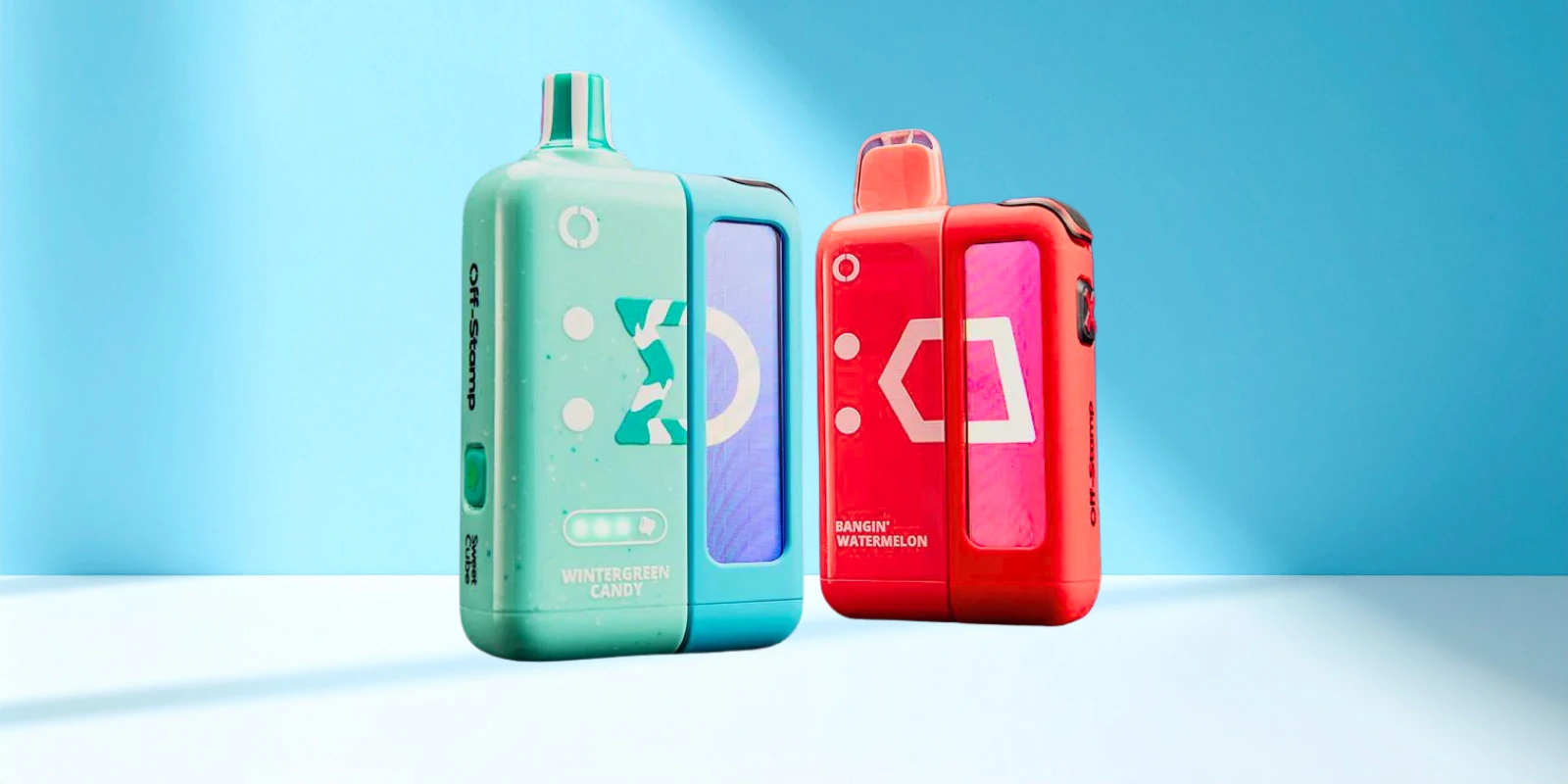
Off Stamp vapes are known for their modular design, sleek look, and reusable charging systems. But if you are new to the device, the charging setup can feel a little confusing at first. Some models use a pod and dock system, while others use a cube-style rechargeable base.
So, How to Charge Off Stamp Vape devices the right way? In most cases, you need to connect the pod to the correct battery dock or reusable base, then charge the battery through the USB-C port. This guide breaks down the steps, what to do without the original charger, what not to try, and how to fix common charging issues.
Quick Answer: How To Charge Off Stamp Vape?
To charge anOff Stamp vape, attach the pod to its compatible battery dock or reusable base, plug a USB-C cable into the charging port, and connect it to a safe power source such as a wall adapter, laptop, or power bank.
⭐ Here is the simple version for “how to charge Off Stamp vape?” —
Make sure the pod and battery base are properly connected.
Find the USB-C charging port on the battery dock or reusable base.
Insert a compatible USB-C cable.
Connect the cable to a safe USB power source.
Check the battery light, screen, or indicator.
Unplug the device once it is fully charged.
⚠️ Important Note: The pod alone usually cannot be charged by itself. Off Stamp pods are designed to work with the correct battery dock or reusable base. |
💡 Know more on — Off Stamp Vape Review: Full Guide
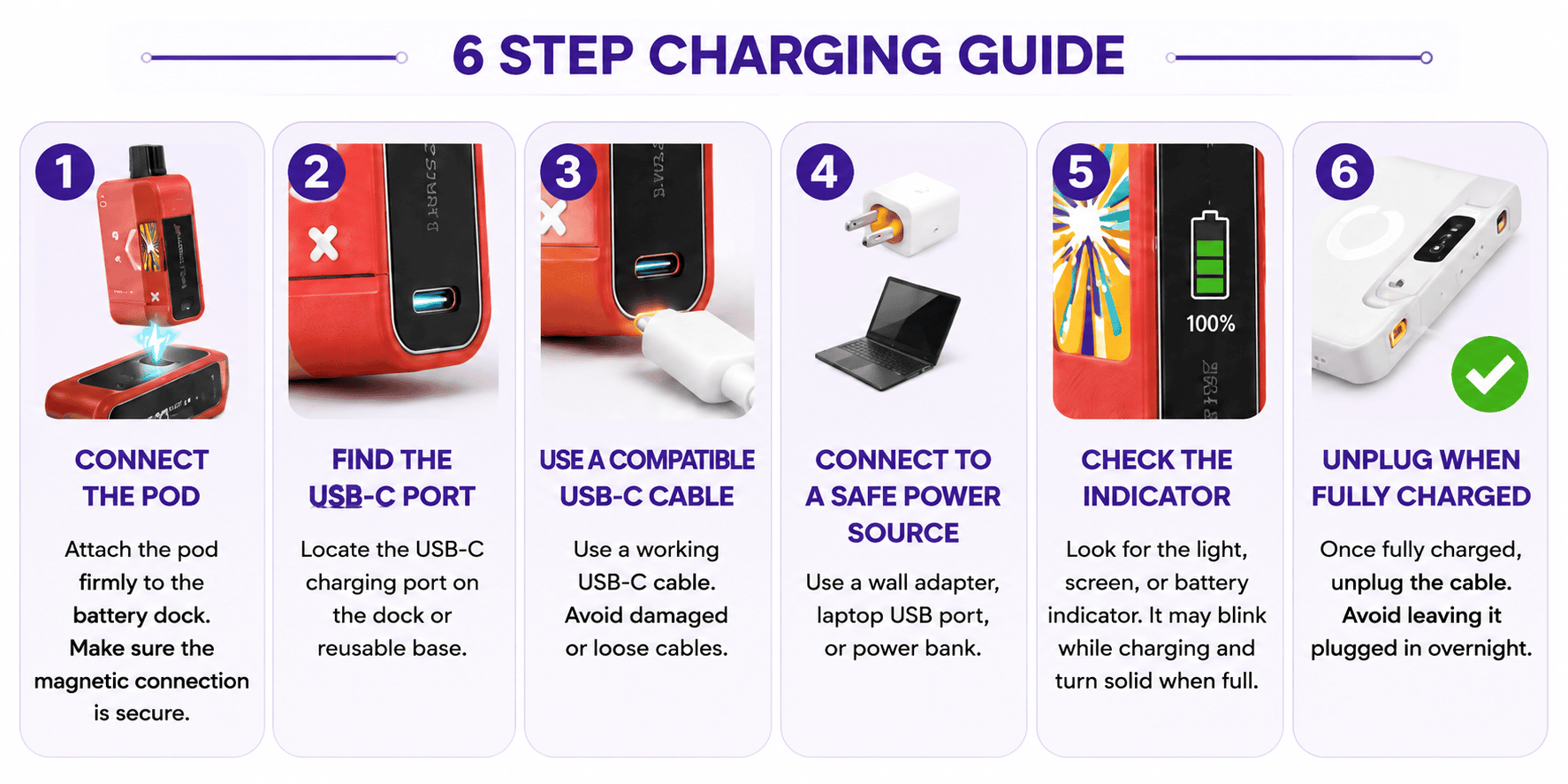
How to Charge Off Stamp Vape? Step-By-Step Guide
Here’s a quick step by step guide on how to charge Off Stamp vape?
Step 1: Connect The Pod To The Battery Base
Start by attaching the Off Stamp pod to the correct battery dock or reusable base. Most Off Stamp devices use a magnetic connection, so the pod should sit firmly in place without forcing it.
If the pod feels loose, remove it and reconnect it carefully. A poor connection can stop the device from charging or working properly.
Step 2: Find The USB-C Charging Port
Look for the USB-C charging port on the battery dock or reusable base. This is where the charging cable connects.
Do not try to charge the pod directly if there is no charging port on it. The pod is not meant to be treated like a standalone rechargeable device.
Step 3: Use A Compatible USB-C Cable
Use a working USB-C cable that fits smoothly into the charging port. Avoid damaged, bent, loose, or exposed cables.
A faulty cable is one of the most common reasons a vape does not charge properly.
Step 4: Connect To A Safe Power Source
You can plug the USB-C cable into a standard wall adapter, laptop USB port, or power bank.
Use a stable power source and avoid random fast chargers that may not be suitable for small vape batteries.
Step 5: Check The Charging Indicator
Depending on the Off Stamp model, the charging status may show through a light, screen, or battery indicator. Some devices may blink while charging and change once the battery is full.
If nothing appears right away, wait a few minutes. A fully drained battery may take a short time before it shows any response.
Step 6: Unplug Once Fully Charged
Once the device shows a full charge, unplug it. Avoid leaving it plugged in overnight or longer than needed.
How To Charge Off Stamp Vape Without Charger?
Lost the cable that came in the box? You are not stuck. As long as you have a standard USB-C cable, you can charge your Off Stamp device with:
A laptop or computer USB port – This is one of the safest backup options because most computers limit their output, which protects the battery from getting too much power at once.
A power bank – Great for travel or anywhere an outlet is not handy. Just make sure the power bank has enough charge of its own.
A wall adapter from another device – Most phone chargers will work fine, but try to use one with a similar output rating to the original. A high-output fast charger usually will not cause damage, but it also will not speed things up much, since the dock itself controls how much power it pulls in.
⭐ Quick tip! If your Off Stamp vape does not charge with one cable, try another USB-C cable before assuming the device is broken. Many charging problems come from the cable, not the vape. |
How To Charge Off Stamp Vape Without Battery?
You cannot safely charge an Off Stamp vape pod without its matching battery dock or reusable base. The pod is not designed to charge or work as a complete device on its own.
Why You Cannot Charge The Pod Alone?
No USB-C charging port:The pod usually does not have its own charging port.
Needs the battery dock: The pod depends on the dock or base to receive power.
Metal pins are not charging ports:The contact points on the pod are made to connect with the battery base, not with wires or cables.
No direct power control:The pod is not built to safely manage direct electrical power.
DIY charging is unsafe: Using exposed wires, cut cables, or direct contact charging can cause overheating, device damage, or fire risk.
✔️What Should You Do Instead?
Use the correct Off Stamp battery dock or reusable base.
Buy the compatible starter kit if you only have the pod.
Replace the battery base if it is missing, damaged, or no longer charging.
Do not open, modify, or force-charge the pod directly.
💡 Read more: How To Refill A Vape Pod: Quick Guide
Why Is My Off Stamp Vape Not Charging?
If your Off Stamp vape is not charging, it does not always mean the device is broken. In many cases, the issue is caused by the cable, adapter, dirty charging port, loose pod connection, or drained battery.
⭐ Here are the most common reasons and what you can try:
Possible Cause | What To Check? |
Dirty contacts | Wipe the metal connectors on the pod and dock with a dry cotton swab |
Pod not seated correctly | Detach and reattach until you hear the magnetic click |
Damaged cable | Inspect for fraying, bends, or exposed wire and swap it out if needed |
Wrong power source | Try a different wall adapter or USB port |
Dead or aging battery | If the dock no longer holds a charge at all, it may need replacing |
Pod and dock mismatch | Confirm you are not mixing an SW-series pod with an X-Cube dock, or vice versa |
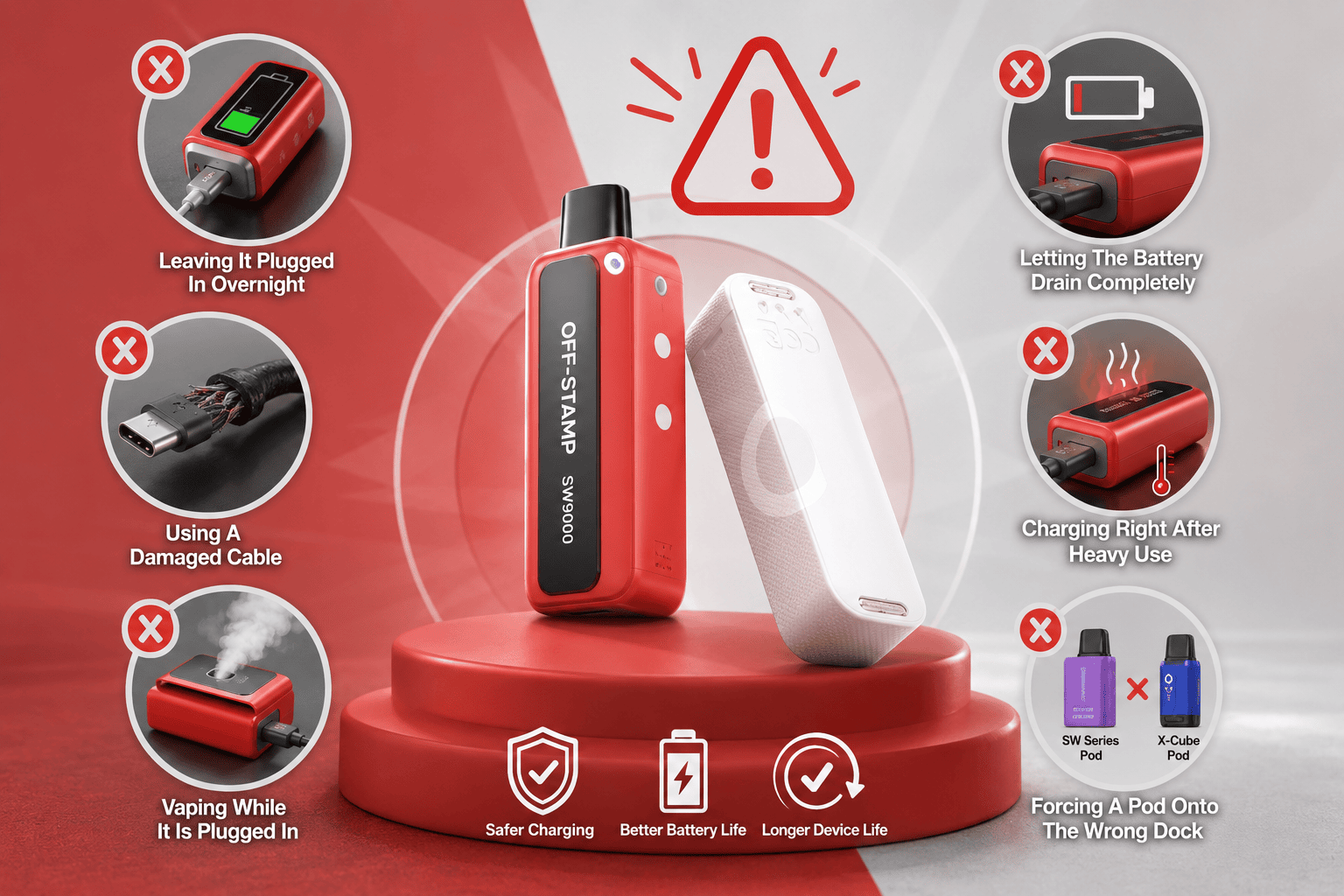
Charging Mistakes To Avoid With Off Stamp Vapes
A few small charging habits can shorten the life of your Off Stamp battery dock without you realizing it. To keep the device working properly, avoid these common mistakes:
❌Leaving It Plugged In Overnight
Once the light or battery indicator shows a full charge, unplug the device. Leaving it plugged in longer than needed can put extra strain on the battery over time.
❌Using A Damaged Cable
Avoid worn, bent, loose, or exposed USB-C cables. A damaged cable can cause inconsistent charging and may increase the risk of overheating.
❌Vaping While It Is Plugged In
Using the pod while the dock is charging puts extra load on the battery. It is better to let the device charge first, then use it after unplugging.
❌Letting The Battery Drain Completely Every Time
Try not to wait until the dock is fully dead before charging it. Topping it up before it hits zero is usually easier on the battery.
❌Charging Right After Heavy Use
If the device feels warm after continuous use, let it cool for a few minutes before plugging it in. Charging a warm device can add unnecessary stress to the battery.
❌Forcing A Pod Onto The Wrong Dock
SW Series pods and X-Cube pods are designed for their own dock systems. Forcing a mismatched pod and dock together can damage the connector and may stop the device from charging properly.
⭐ For added safety, here are some helpful tips on how to avoid vape battery fires or explosions when charging or handling vape devices. You can follow them before you charge your device. |
Off Stamp SW Series vs X-Cube Charging: What Changes?
The Off Stamp lineup has expanded since the original SW9000, and the charging setup can look slightly different depending on which device generation you have. The main difference is the dock system. SW Series pods use the SW charging device, while X-Cube pods use the X-Cube charging dock.
Feature | ||
Dock Type | Magnetic SW Smart Charging Device | Snap-in X-Cube charging dock |
Charging Port | USB-C | USB-C |
Cross-Compatibility | SW9000 and SW16000 share the same dock | Not compatible with SW-series docks |
Standout Feature | Compact, detachable pod that can vape briefly off the dock | Built-in display showing battery and e-liquid levels in real time |
⭐ The biggest thing to remember is that SW Series pods and X-Cube pods are not interchangeable with each other’s docks. If you are buying replacement pods, double-check which Off Stamp generation you already own so you choose the matching cartridge and charging base.
💡 Trying Off Stamp for the first time? Read these next —
Frequently Asked Questions
1. Can You Charge An Off Stamp Vape If The Battery Is Dead?
Yes. Even if the dock has drained completely, plugging it into a USB-C cable and power source will bring it back to life. It may just take a little longer to start showing a charging indicator than a battery that was only partially drained.
2. When Should You Replace The Charger, Battery Base, Or Pod?
Replace the charger if the cable is loose, damaged, or only works at certain angles. Replace the battery base if it no longer holds a charge, and replace the pod if the dock charges but the vape still does not activate.
3. Is It Safe to Use a Fast Charger With an Off Stamp Vape?
It is better to use a standard USB power source instead of a high-output fast charger. The dock controls how much power it pulls, but a basic adapter, laptop, or power bank is usually the safer choice.
4. Why Is My Off Stamp Vape Blinking When I Plug It In?
A blinking light can mean the device is charging, has a low battery, or has a connection issue. Check that the pod is seated properly and the USB-C cable is not loose or damaged.
5. How Long Does an Off Stamp Vape Dock Take to Fully Charge?
Charging time depends on the model, cable, and power source. Most Off Stamp docks should charge within a reasonable short period, but always follow the battery indicator and unplug once it shows full.
Disclaimer: This article is for general informational purposes only and is meant to help users understand basic Off Stamp vape charging steps. Always follow the product instructions provided with your device and avoid opening, modifying, or force-charging any vape pod or battery dock. Do not charge damaged, leaking, wet, or overheating devices. Products containing nicotine are intended only for adults of legal smoking age.