
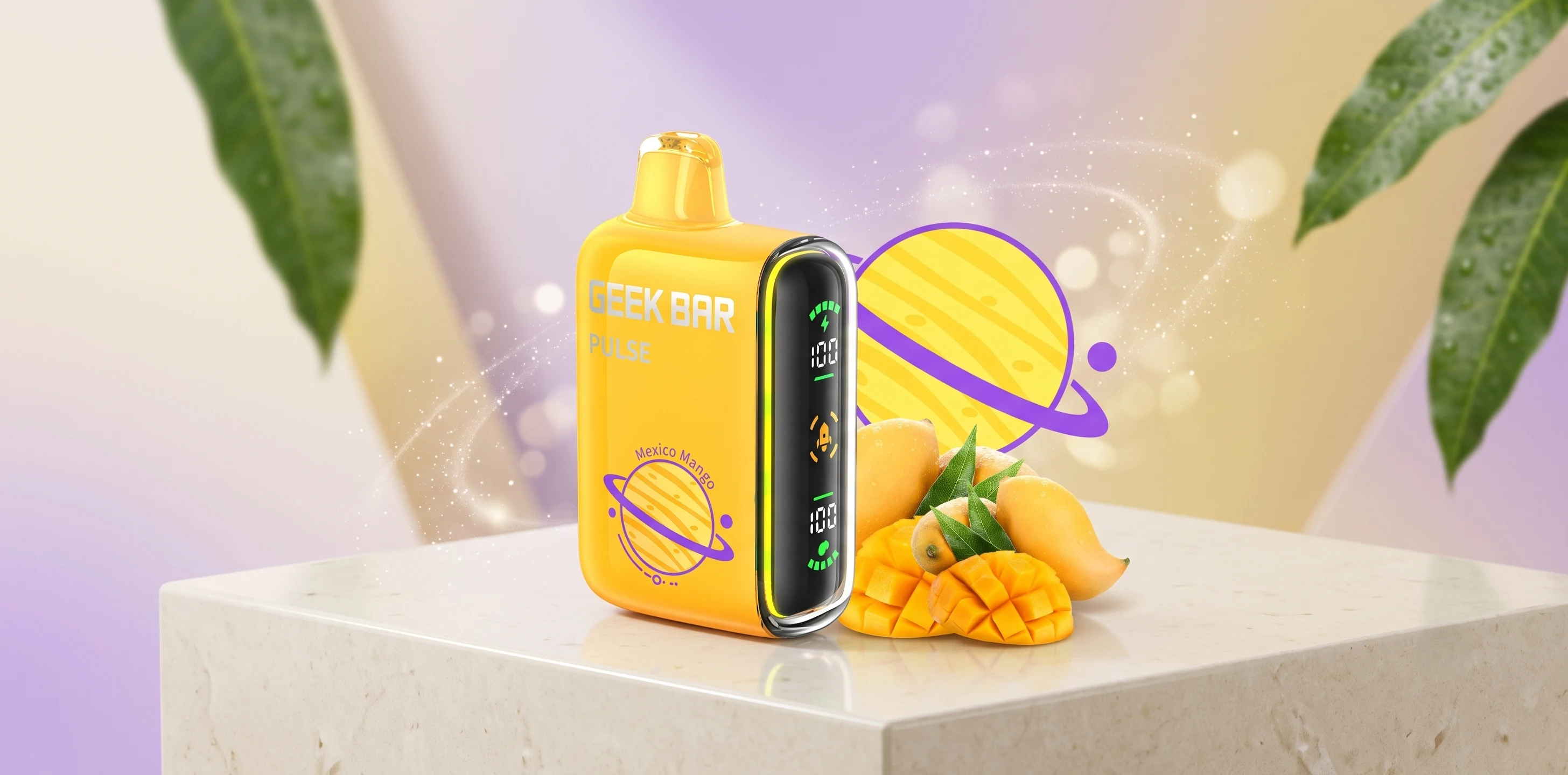
If your Geek Bar Pulse is blinking, not hitting, or showing an inaccurate juice reading, a quick reset-style restart may help. The good news is that fixing most of these issues is quicker and simpler than people expect. The slightly less exciting news is that a Geek Bar Pulse doesn't have a true factory reset like a phone or a laptop.
Instead, what you can do is perform a few simple troubleshooting steps that often solve the problem in just a few minutes. Whether you are searching for how to reset Geek Bar Pulse, how to do it safely, and what to try before deciding the device has reached the end of its life, this guide might answer all your questions.
Can You Actually Reset a Geek Bar Pulse?
You cannot truly reset a Geek Bar Pulse. The Geek Bar vape does not offer a user factory reset like a phone or laptop. It is a disposable vape with a battery, sensor, mesh coil, and small display that shows battery and juice readings.
So when someone asks how to reset a Geek Bar Pulse, they usually mean one of these things:
⚡ The screen froze or started acting strange.
⚡ The device is blinking and they want it to stop.
⚡ The juice or battery reading looks wrong.
Only the first issue may respond to a basic switch reset. The other two are troubleshooting problems, and we will walk through each one separately so nothing gets mixed up.
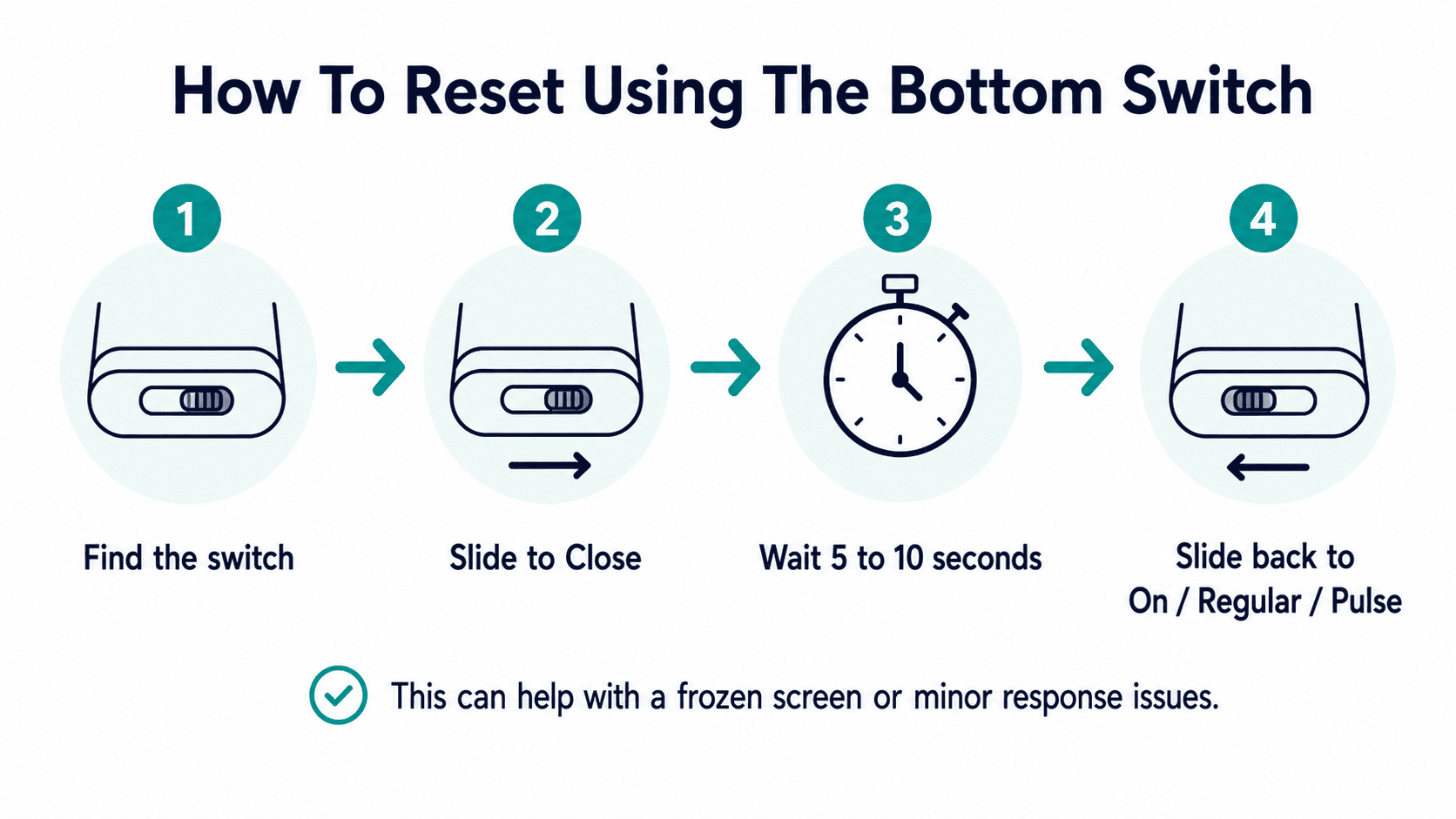
How To Reset A Geek Bar Pulse Using The Bottom Switch?
The bottom switch is the closest thing to a real reset on a Geek Bar Pulse. This applies to Pulse-style devices such as the Geek Bar Pulse 15K, Pulse X 25K, and Pulse X2 50K. These devices do not have a dedicated reset button, which is why many users search for how to reset Geek Bar Pulse without the button. The switch is what you use instead.
⭐ Here is how to reset a Geek Bar Pulse using the bottom switch:
Find the switch on the device. It is usually placed near the screen, side panel, or bottom area, depending on the model.
Slide the switch to the Close position.
Wait about five to ten seconds.
Slide the switch back to the On, Regular, or Pulse mode position.
Check whether the screen lights up and the device responds normally.
This soft reset can help with a frozen screen, a stuck display icon, or a minor issue where the device is not responding properly. However, it will not restore puffs, refill the juice, reset the puff counter, or fix a battery that is completely dead.
Think of it like turning the device off and back on again. It is useful for small glitches, but it is not a full factory reset.
Why Is My Geek Bar Pulse Blinking? And What the Switch Reset Won't Fix?
A blinking Geek Bar Pulse usually means the device is trying to tell you something. In many cases, it is related to battery level, airflow, activation time, or an internal issue. A switch reset may help if the blinking is caused by a minor mode or activation glitch. However, it will not fix every blinking issue.
Blinking Cause | What Does It Usually Mean? | What To Do? |
Low battery | The device may need power | Charge it with a compatible USB-C cable |
Airflow blockage | The device cannot activate properly | Check the mouthpiece and airflow area |
Long puff timeout | The device may stop after a long draw | Take shorter, normal puffs |
Empty e-liquid | The device may be near the end | Replace it if the flavor becomes weak or burnt |
Internal fault | The device may be damaged | Stop using it and replace it |
What The Switch Reset Will Not Fix:
The bottom switch reset will not fix:
A fully empty device.
A burnt coil taste.
A damaged battery.
A broken screen.
A device that has been dropped or exposed to water.
A device that keeps blinking even after charging.
If the blinking continues after charging and resetting, the device may be at the end of its life.
How To Reset The Geek Bar Pulse Juice Level Indicator?
There is no way to manually reset the juice level indicator because it is not a setting you control. The screen shows an estimated e-liquid level based on the device’s internal reading. It is helpful, but it is not always an exact measurement. That is why you may sometimes see the indicator hit 0% while the device still produces vapor for a short time.
👉 A few reasons this can happen:
There may still be a small amount of e-liquid left in the wick.
The indicator may update slower than the actual e-liquid level.
Switching between Regular Mode and Pulse Mode may make the reading feel less consistent.
Minor display glitches can make the number look stuck or delayed.
So if you came here looking for how to reset Geek Bar Pulse juice level, the real answer is that there is no button or trick for it. A switch reset may refresh the screen, but it will not refill the e-liquid or reset the juice level back to full. Once the flavor fades, the vapor weakens, or the hit turns dry or burnt, that is the real sign the device is near the end.
🍒 Know more on Geek Bar Flavors - Top Picks |
Geek Bar Pulse Not Hitting? Other Fixes Beyond a Reset
If your device is not producing vapor at all, the switch reset is only step one. Here is what else to check before assuming the device is finished:
Battery is low or dead: Plug it into a compatible USB-C charger and give it a few minutes before trying again, especially if the screen is completely dark.
Airflow is blocked:Pocket lint, dust, or small debris can collect around the airflow area. Gently check the mouthpiece and intake holes. A dry cotton swab can help clear light buildup.
The airflow sensor is not responding:If the device lights up but does not hit, the sensor may not be detecting airflow properly. Make sure the airflow path is clear and avoid covering the intake area while using the device.
The device is out of juice: If the flavor has been fading and the hits feel dry, thin, or burnt, the e-liquid is likely finished. At that point, no reset or troubleshooting step will bring it back.
⭐ First time trying Geek Bar vape? Read these first: |
Geek Bar Pulse Battery Reset vs Juice Level Reset
These two get mixed up constantly, so here is the difference laid out clearly.
Point of Difference | Battery Reset | Juice Level Reset |
What does it actually mean? | Using the switch to turn the device off and back on | Not a real reset feature. The display only shows an estimated e-liquid level |
Can you control it? | Yes, with the bottom switch | No, there is no manual juice level reset |
What it may help with? | Frozen screen, delayed display, or minor response glitches | It cannot refill or restore the e-liquid reading |
What it will not fix? | A fully dead or damaged battery | An empty e-liquid supply |
What to do next? | Charge the device if the battery is low | Replace the device if the flavor becomes weak, dry, or burnt |
If you only remember one thing from this section, remember this: the switch can refresh how the device behaves, but it cannot bring back battery life or e-liquid that has already been used.
⭐ Know more on: How Long Do Geek Bars Last? Full Guide |
Why You Shouldn't Try To "Reset" The Puff Counter By Opening The Device?
Some users look for ways to open the Geek Bar Pulse to reset the puff counter or change the internal reading. This is not recommended. The Geek Bar Pulse is a disposable vape device. It is not designed to be opened, repaired, refilled, or modified by the user.
⚠️ Opening it can:
Damage the internal battery.
Break the screen or wiring.
Cause leaking.
Create safety risks.
Make the device stop working.
Void any product support option.
🎯 Important safety note: Do not open the device, puncture the battery area, or try to reset the puff counter manually. If the device is empty, damaged, burnt, or not working after basic checks, replacement is the safer option.
⚠️ For safer handling, follow these tips to help avoid vape battery fires or explosions before attempting anything beyond basic troubleshooting. |
⭐Learn about: How to Use A Geek Bar Pulse: Top Guide
When To Stop Troubleshooting And Replace The Device?
Not every Geek Bar Pulse issue can be fixed with a reset. Sometimes the device is simply finished or faulty.
⚡ You should stop troubleshooting and replace the device if:
The juice indicator shows empty and flavor is weak.
The device tastes burnt.
The screen stays blank after charging.
The device keeps blinking after a full charge.
It leaks.
It auto-fires or activates on its own.
It was dropped, crushed, or exposed to water.
It does not hit after charging, cleaning the airflow area, and using the switch reset.
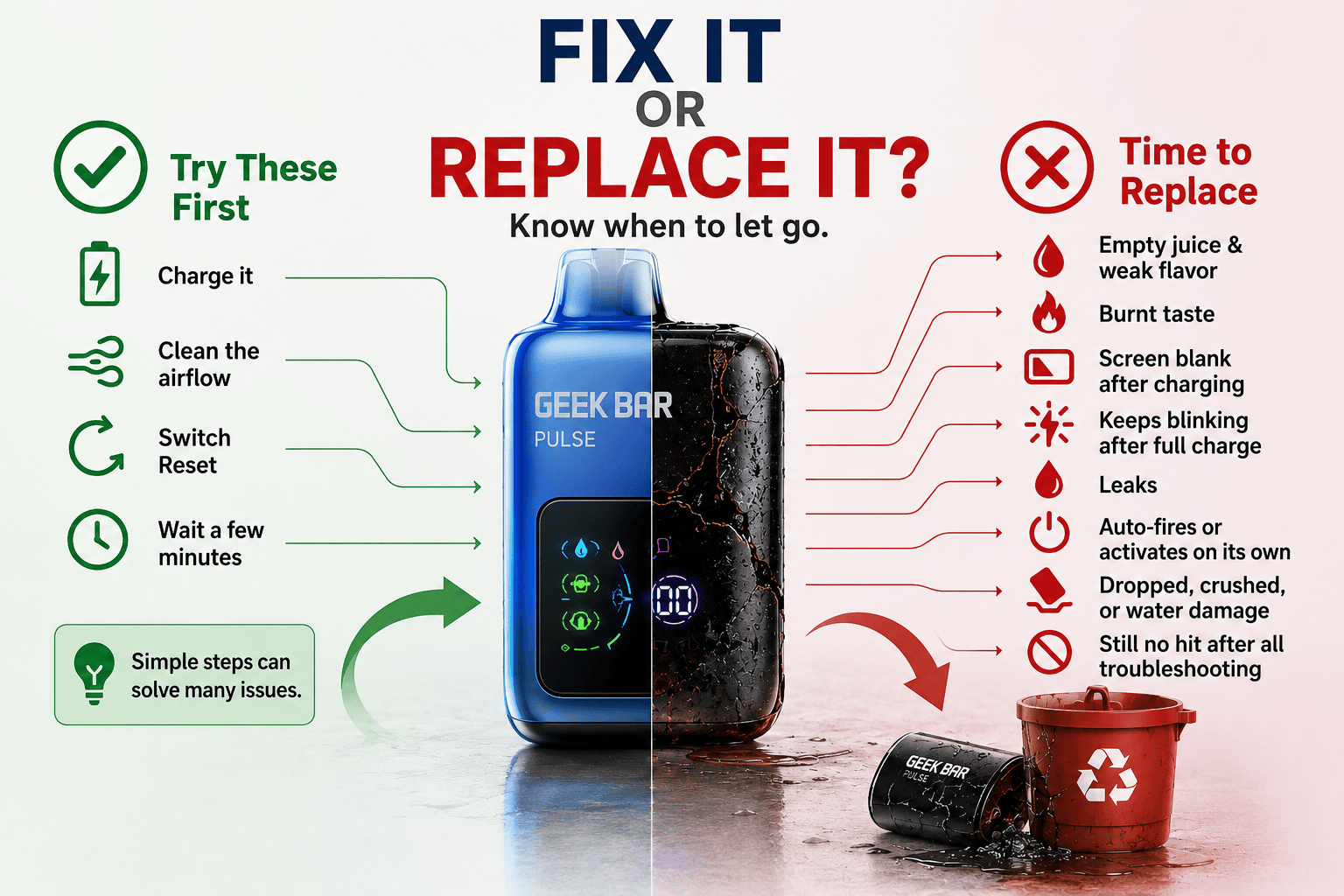
A reset is only useful for small glitches. If the device shows clear signs of being empty, damaged, or burnt, resetting it again and again will not bring it back.
💡 Read next: |
Frequently Asked Questions
How To Reset Geek Bar Pulse Without Button?
The Geek Bar Pulse does not have a separate reset button. To reset it, use the bottom switch, slide it to Close, wait a few seconds, and turn it back on.
Why Does My Pulse Show 0% Juice But Still Vape?
The juice indicator is an estimate, not an exact reading. Your device may still have a small amount of e-liquid left in the wick, but it is usually close to empty.
Can I Fix A Burnt Taste By Resetting My Geek Bar Pulse?
No, a reset will not fix a burnt taste. Burnt flavor usually means the e-liquid is low, the wick is dry, or the device has reached the end of its life.
Why Is My Geek Bar Pulse Screen Not Turning On?
The battery may be fully drained, or the charging cable may not be connecting properly. Try charging it with a compatible USB-C cable and check whether the screen lights up.
Is It Safe To Keep Using It After The Juice Indicator Hits Empty?
It is better to stop once the flavor becomes weak, dry, or burnt. Continuing after the juice indicator hits empty can lead to an unpleasant burnt taste.
Disclaimer: This article is for general informational and troubleshooting purposes only. It does not replace the manufacturer’s instructions or product safety guidance. Do not open, modify, puncture, refill, or tamper with any vape device. If your Geek Bar Pulse is damaged, leaking, overheating, auto-firing, or not working after basic checks, stop using it and replace it safely.