
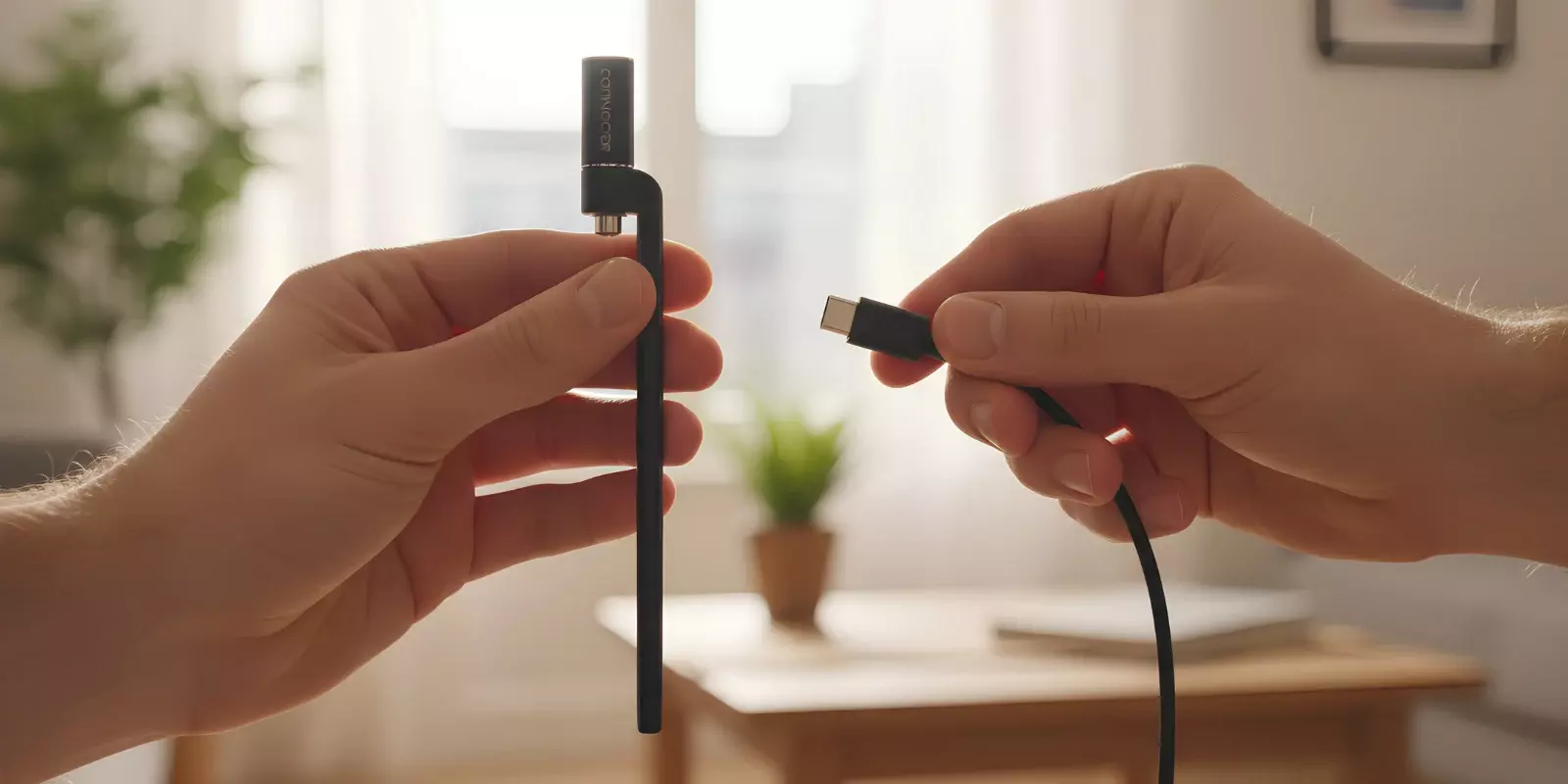
If your Ooze battery not charging issue just started, you’re not alone. This is one of the most common problems users experience with 510-thread vape batteries. In most cases, the issue isn’t a dead device — it’s usually a minor problem. It could be a charging connection issue, a charger mismatch, or a simple maintenance oversight.
So just a heads up — don’t immediately assume the battery needs to be replaced if it’s not charging. There are a few troubleshooting steps you can try first that solve the majority of cases. We’ll walk you through them below, along with the most common causes, LED light meanings, and reset methods.
Key Takeaway:
Most Ooze battery not charging issues are caused by dirty 510 threads or poor contact — clean with 91%+ isopropyl alcohol first.
4–5 blinks usually mean a connection error; 10–15 blinks typically mean the battery is depleted.
A solid green charger light can signal a full charge or no proper connection.
Always use an Ooze Smart Charger and plug it into a wall outlet (5V wall adapter), not a laptop or car USB port.
Leave a fully drained battery plugged in for at least one hour before assuming it’s dead.
Why Your Ooze Vape Battery Is Not Charging (Common Causes)
Ooze battery not charging issues are due to a small set of recurring causes. These are outlined in Ooze support guidance and discussed by users on Reddit who’ve experienced similar charging failures.
1. Dirty 510 Connection Points
Oil residue, lint, or debris on the threaded connection can prevent the battery from receiving power.
Even a thin layer of leaked oil can prevent proper metal-to-metal contact between the charger and the battery, halting the charging cycle.
2. Defective or Incompatible Charger
Using a non-Ooze charger or a damaged USB cable can interrupt charging.
Ooze Smart Chargers are designed to show:
Red while charging
Green when fully charged
If the light stays green while the battery is not charging, it may indicate either a faulty charger or a poor connection between the battery and charger.
3. Misaligned or Pressed-Down Center Pin
The small metal contact pin at the top of the battery can become pressed down too far.
This commonly happens from:
Overtightening the charger
Overtightening the cartridge
When the pin sits too low, it fails to make contact with the charger.
4. Broken Charger
If the charger light does not behave normally — such as never turning red while charging — the charger itself may be defective.
Testing with a different compatible charger can help isolate the issue.
5. Over-Tightening the Charger or Cartridge
Screwing components on too tightly can:
Push the center pin downward
Damage the threading
Interrupt the electrical contact
This is one of the most preventable causes of charging failure.
6. Battery Lifecycle or Internal Damage
Rechargeable vape batteries have a limited lifespan.
If the battery:
No longer holds a charge
Drains unusually fast
Shows inconsistent LED behavior
It may have reached the end of its lifecycle.
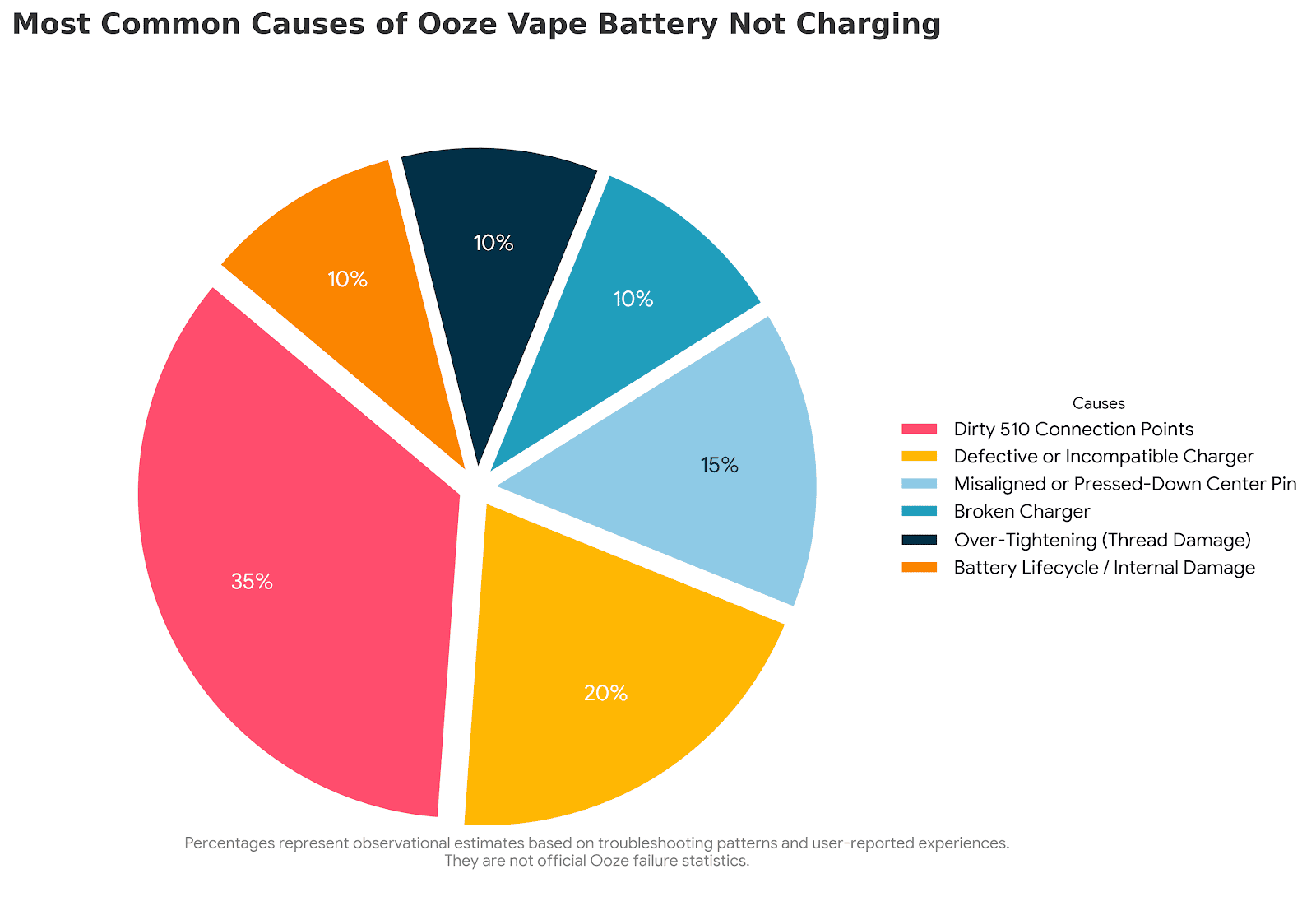
👉 This chart shows the likelihood of each issue causing Ooze batteries to fail during charging, with higher percentages indicating the problems users encounter most frequently. |
What Do Ooze Battery Blinking Lights Mean?
Ooze vape batteries use specific blink codes to communicate their current status. Each light sequence points to a specific condition. Check the table to understand the issue.
Light Behavior | What It Means |
Blinking Green (10–15 times) | The battery is fully depleted and requires charging. |
Blinking Green (4–5 times) | A connection error is detected (cartridge too tight, too loose, or dirty 510 threads). |
Blinking White (3 times)* | Short circuit detected (model-dependent behavior). |
Blinking Red | The device is overheating or experiencing an internal malfunction. |
Charger Light RED + Battery Light GREEN | The battery is actively charging. |
Charger Light GREEN + Battery Light OFF | The battery is fully charged. |
Charger Light stays GREEN when plugged in | The charger is not detecting the battery (poor contact or recessed connection plate). |
*Blink behavior may vary by model. For example, on the Ooze ConNectar 510, the blink patterns can differ slightly from those of standard Ooze batteries. |
Ooze Battery Not Charging? Try These Fixes
To bring the battery back to working condition, follow these steps. We have listed fixes for every issue. Locate the issue you are experiencing and check its fix.
✔️ Fix for connection glitches or power errors
Turn the battery off by clicking the button 5 times, then remove the cartridge before charging to isolate the device.
✔️ Fix for dirty 510 connection points
Clean the battery’s 510 threads and the charger contact using 91%+ isopropyl alcohol, and allow everything to dry fully before reconnecting.
✔️ Fix for defective or incompatible charger
Use the original Ooze Smart Charger with a 5V wall adapter; avoid laptops, car USB ports, or other unstable power sources.
If charging still fails, try a different compatible charger or cable.
✔️ Fix for over-tightening or poor cartridge contact
Unscrew and reattach the cartridge gently — avoid overtightening, as this can disrupt electrical contact.
✔️ Fix for misaligned or pressed-down center pin
Inspect the center pin at the top of the battery; if recessed, carefully lift it slightly using a non-metal tool.
✔️ Fix for a fully depleted battery
If the battery was fully depleted, leave it plugged in for at least one full hour before testing again.
✔️ Fix to identify cartridge-related issues
Test the battery on the charger without a cartridge attached to determine whether the issue is cartridge-related.
What Actually Worked For Users?
⭐ Swapping the charger resolved the issue in multiple user-reported cases.
⭐ Cleaning the threads restored charging for many users.
⭐ Slightly lifting a recessed center pin fixed connection errors in some situations.
How To Reset An Ooze Battery?
Sometimes a battery can become unresponsive even when it’s physically fine. A soft reset can clear minor firmware glitches, temporary software errors, or charger recognition hiccups.
How To Perform The Reset?
Power Off: Click the power button 5 times quickly (within 2 seconds). LED flashes to confirm power-off.
Power On: Click the power button 5 times quickly again to turn it back on.
Repeat if Necessary: Perform the 5-click cycle up to 3 times to clear persistent minor glitches.
Note: If the battery still doesn’t respond, the issue is likely physical. You can try the above fixes or buy a new one. |
FAQs
1. Why is my Ooze battery not charging?
It may be caused by dirty threads, a misaligned center pin, a fully depleted battery, or a faulty charge.
2. What warranty coverage applies to an Ooze vape battery?
Warranty coverage varies by device and is only active if you register your battery using the authenticity code on the base or scratch-off card. Standard pen-style batteries, like the Slim Twist, have a 5-year warranty, while specialized devices, such as the Booster, have a 1-year warranty.
3. When is it time to replace an Ooze battery?
Replace your battery if it no longer holds a charge, blinks red repeatedly while charged, or shows physical damage. Cartridge batteries typically last 300–500 charge cycles, while Ooze batteries can last up to 5 years, depending on usage and maintenance.
4. Why is my Ooze pen not charging red light?
Blinking red: Overheating, short circuit, or internal safety lock — remove the cartridge, let it cool, and check threads/pin.
Solid red: Battery is charging.
Red for hours: Battery can’t reach full capacity and may need replacement.